How I worked
I worked on site at Bestseller’s office in Amsterdam, as UX designer and researcher in the team building the new website, day to day with the product owners and business analysts.
Case study 1
Bestseller.com platform
How might we give 17 fashion brands one website that feels right for each of them, and stays easy to run for their marketing teams?
Bestseller owns brands such as Jack & Jones, Only, Vero Moda, Vila and Name it. We were asked to redesign their online shops completely, as one responsive website for all of them. The goal: a consistent, easy experience for shoppers on every brand, and a solution that scales, so the marketing teams can run 17 shops without 17 times the work.
What I did
- Benchmark. I compared the navigation and the main user flows with key competitors, to see what shoppers already expect from a fashion website.
- Data. I worked with the business analysts on customer behaviour data, to understand how people actually browsed and bought.
- Information architecture. I reworked the structure of the site through wireframes and interactive Axure prototypes, from the menus to the checkout.
- Workshops. I ran workshops with the product owners to define the features.
- Sign-off. I presented the solution to all 17 brands at the head office in Denmark.
One platform, every brand
Every brand runs on the same templates and components. What changes is what makes a brand recognisable: its logo, its colour, its photos and its campaigns. The marketing teams fill the same building blocks, and each shop still looks like itself.
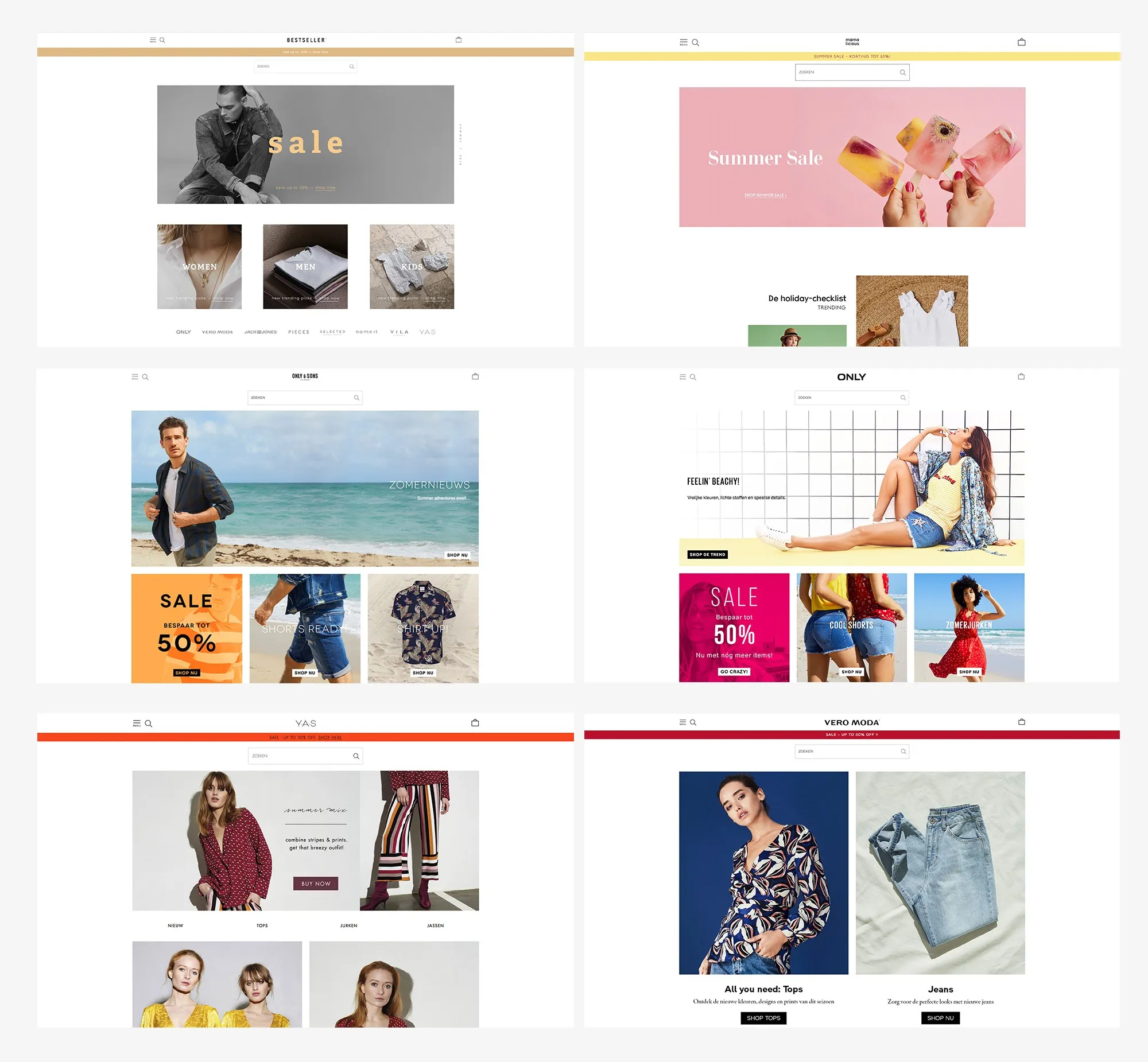
Home pages: the same layout, six different brands.
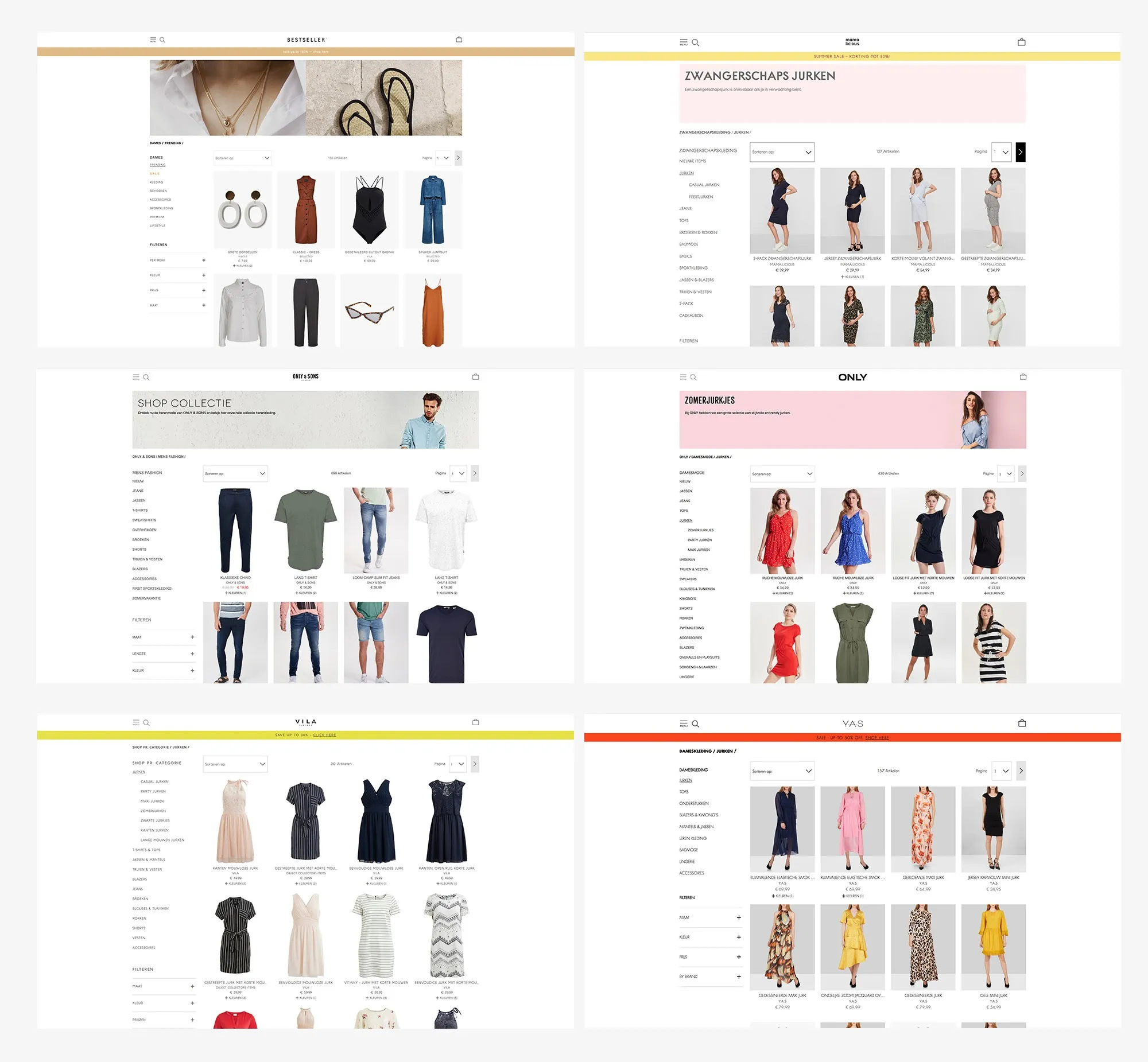
Product listing pages: one category menu, one set of filters, one product grid.
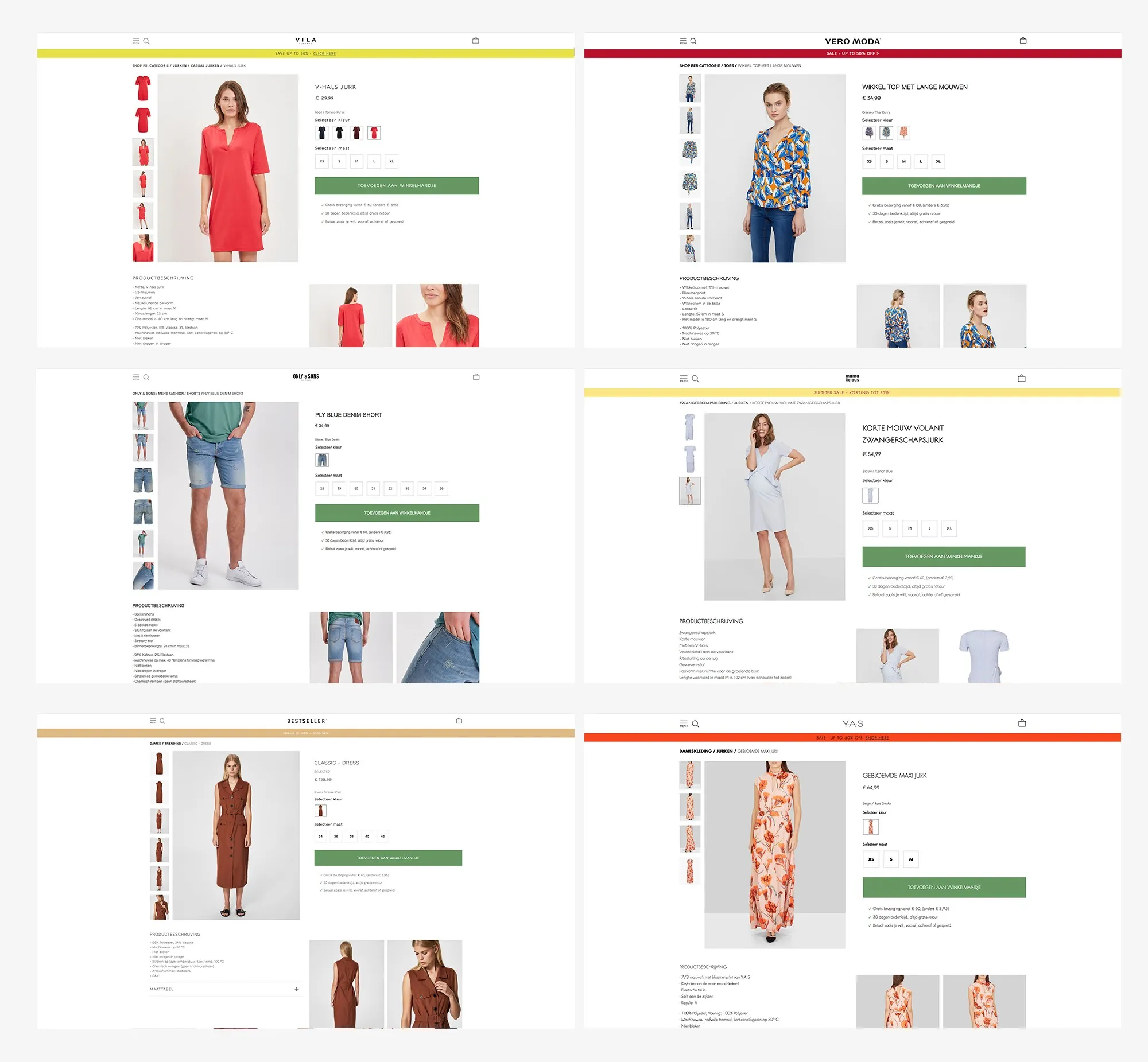
Product pages: the buying area works the same way on every brand.
Responsive, from desktop to phone
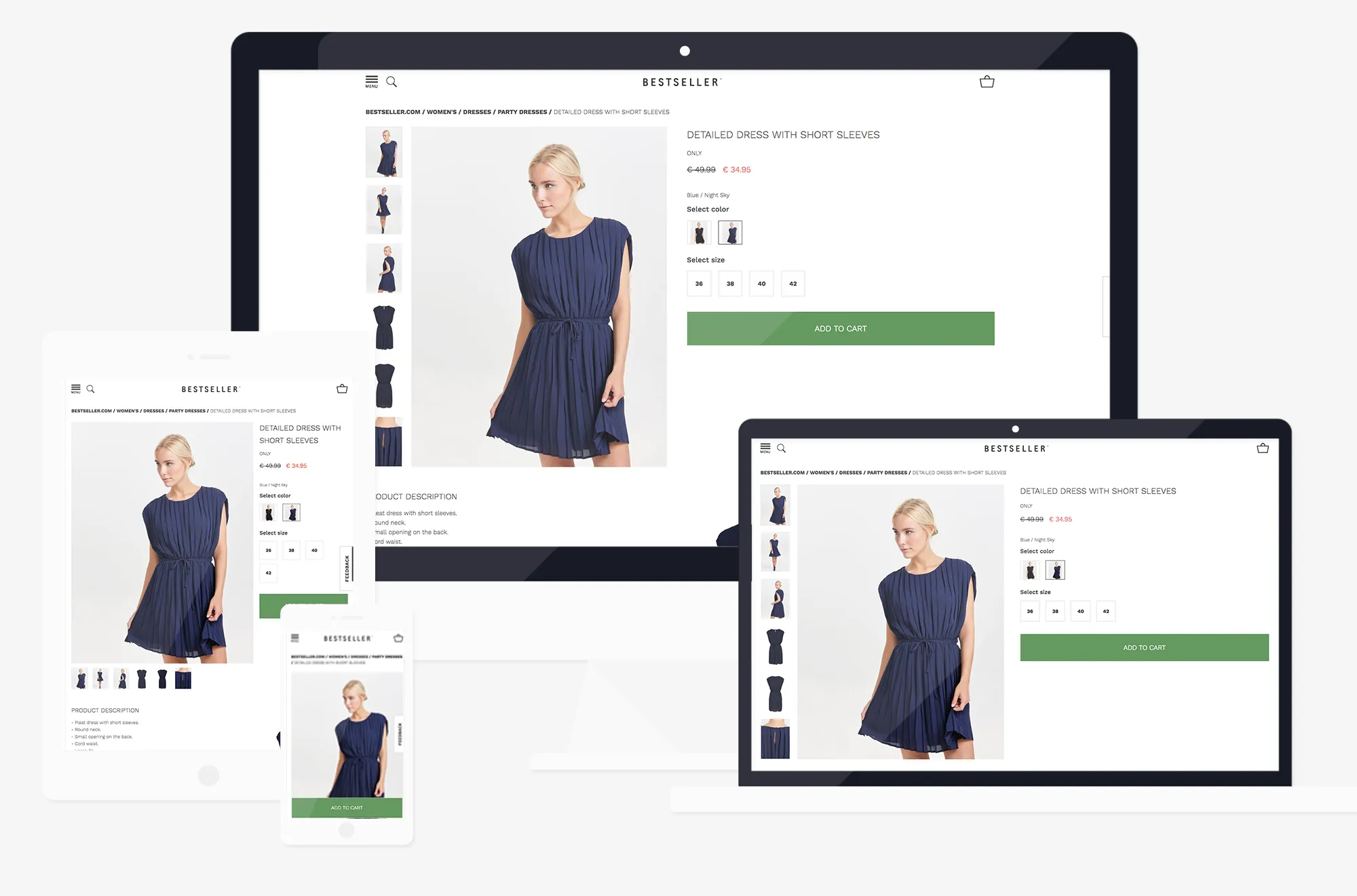
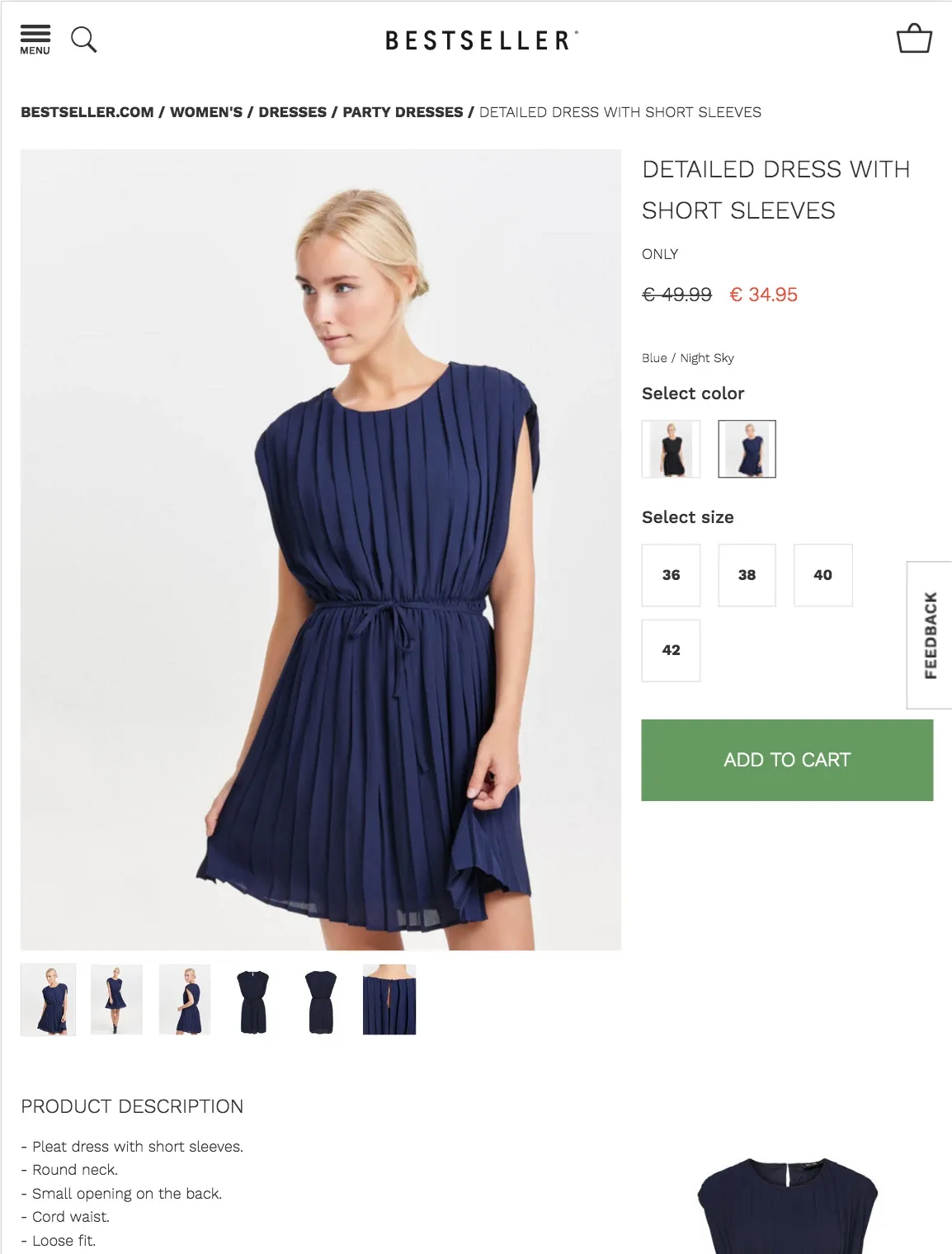
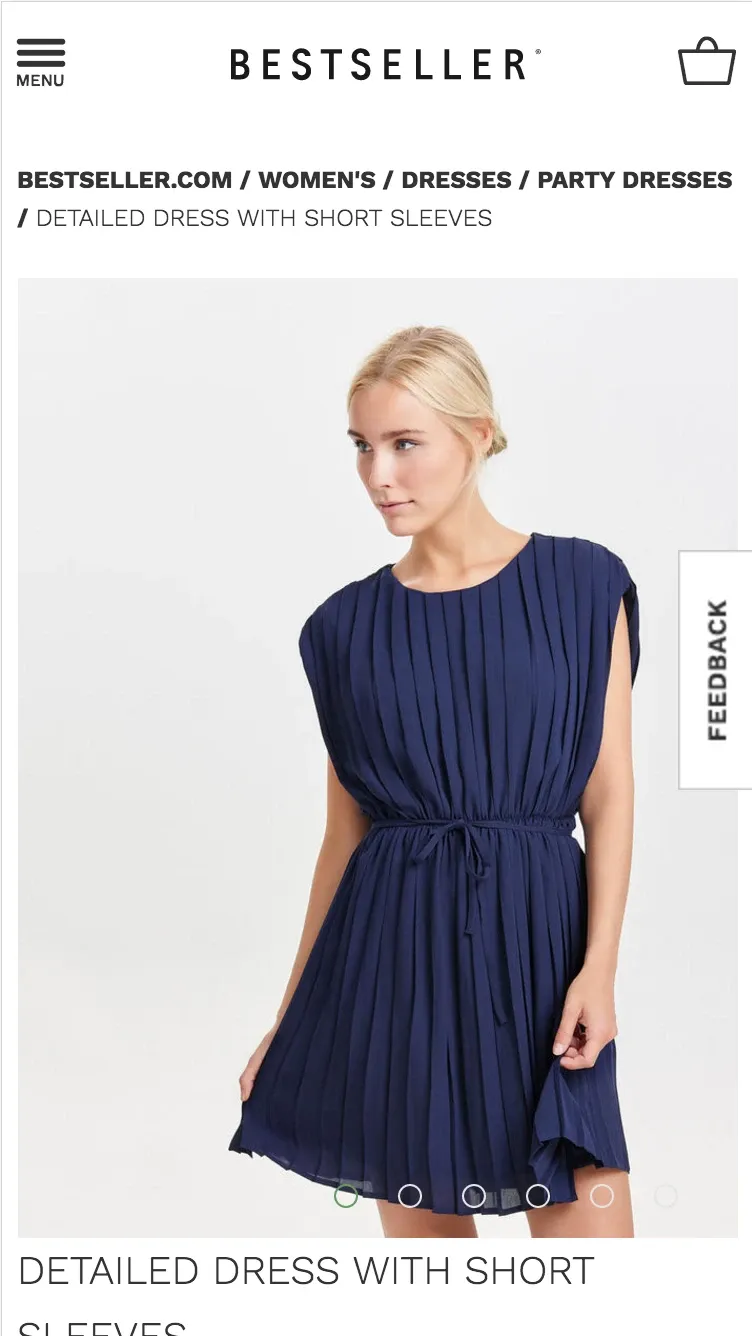
The product page adapts to each screen. On large screens, the thumbnails sit next to the main photo. On a tablet, they move under it, and the size buttons wrap onto two lines. On a phone, the photos become a swipeable carousel, and the product information follows below.
Case study 2
Checkout with Klarna
How might we make paying simple, from the bag on the website to paying later in store with Klarna?
The bag
In the bag, shoppers can change an item’s colour or size, or add a gift card, in a pop-up, without leaving the page. I prototyped every interaction in Axure, so the team could click through the flow before it was built.
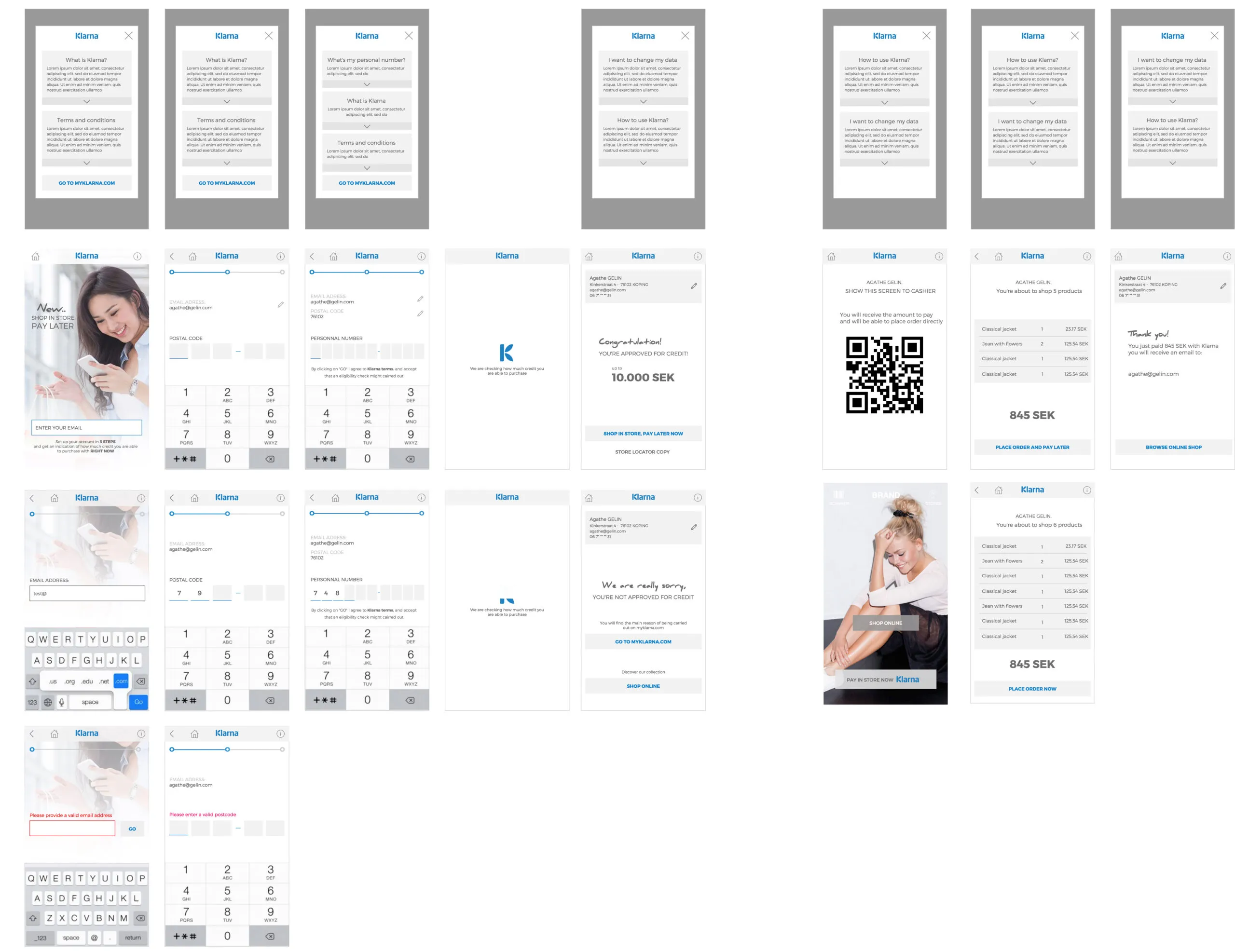
Klarna in store
Objective
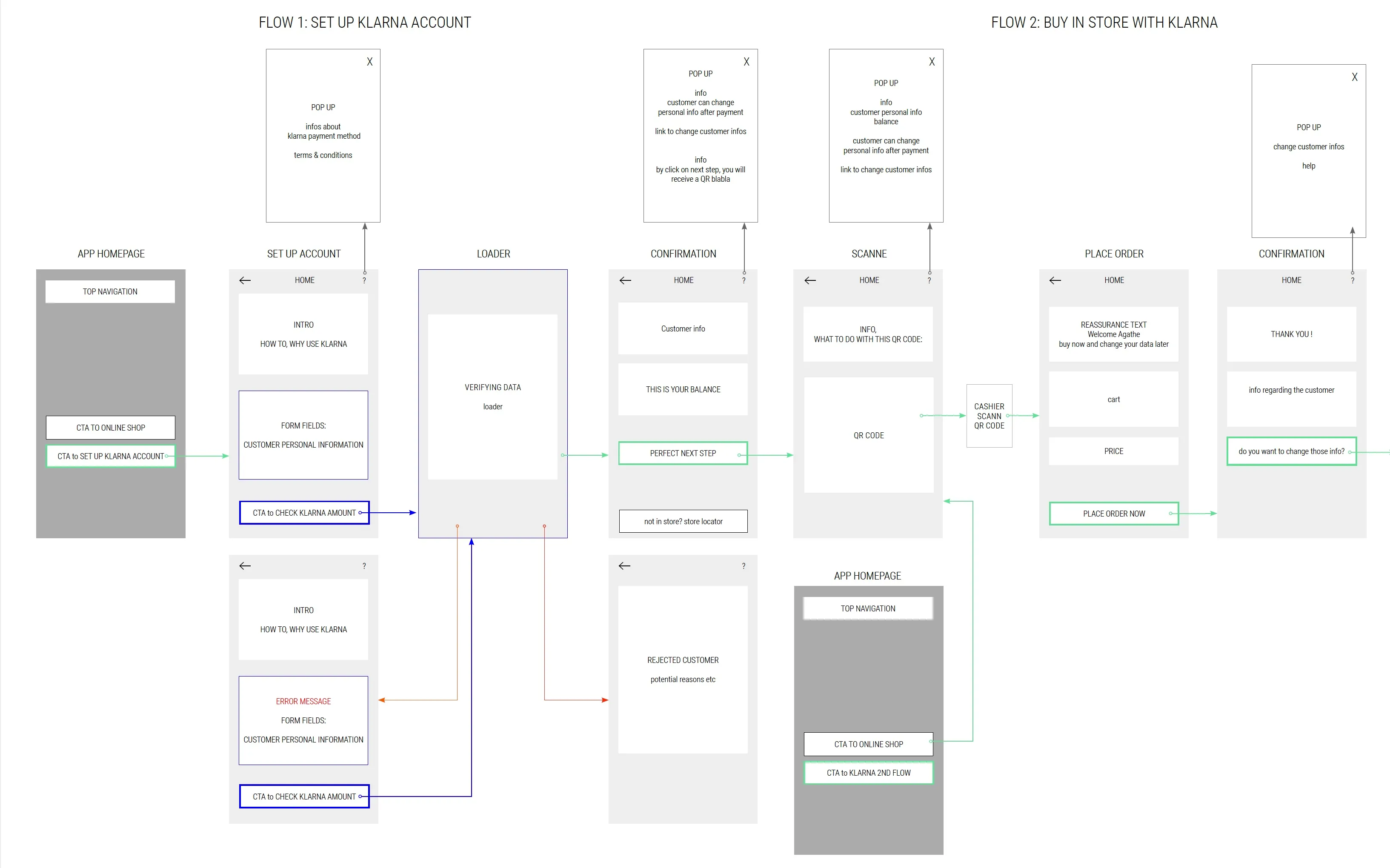
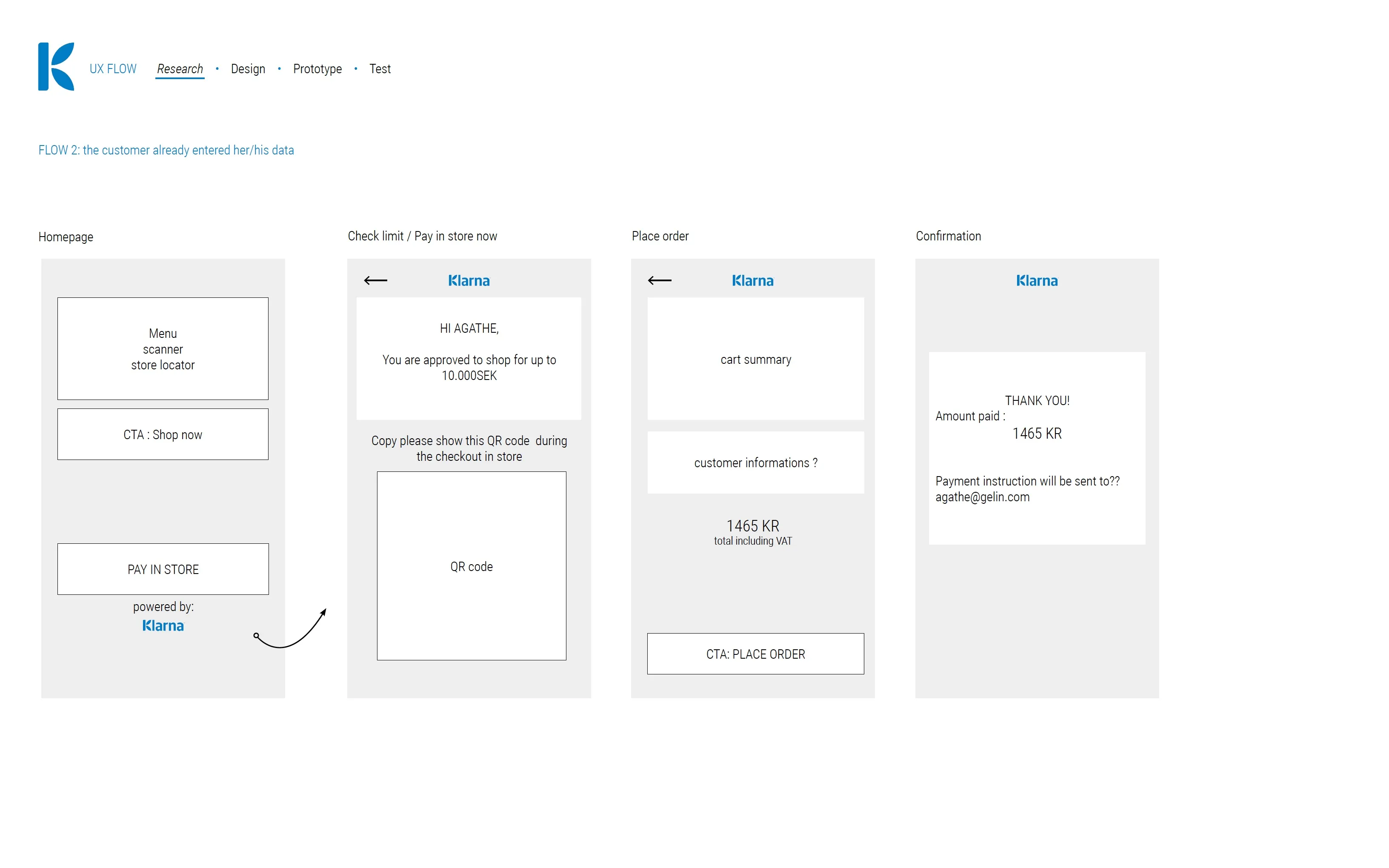
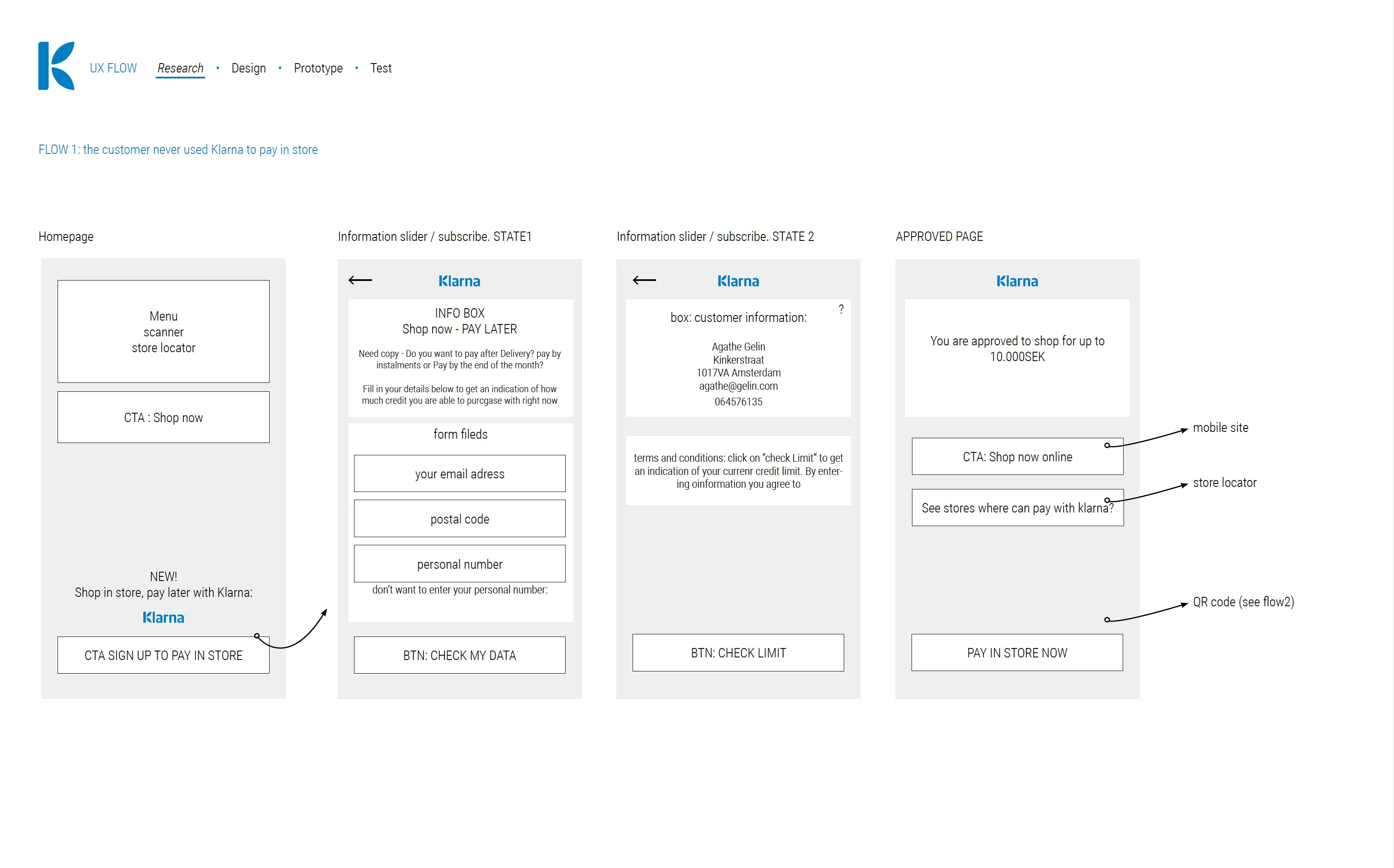
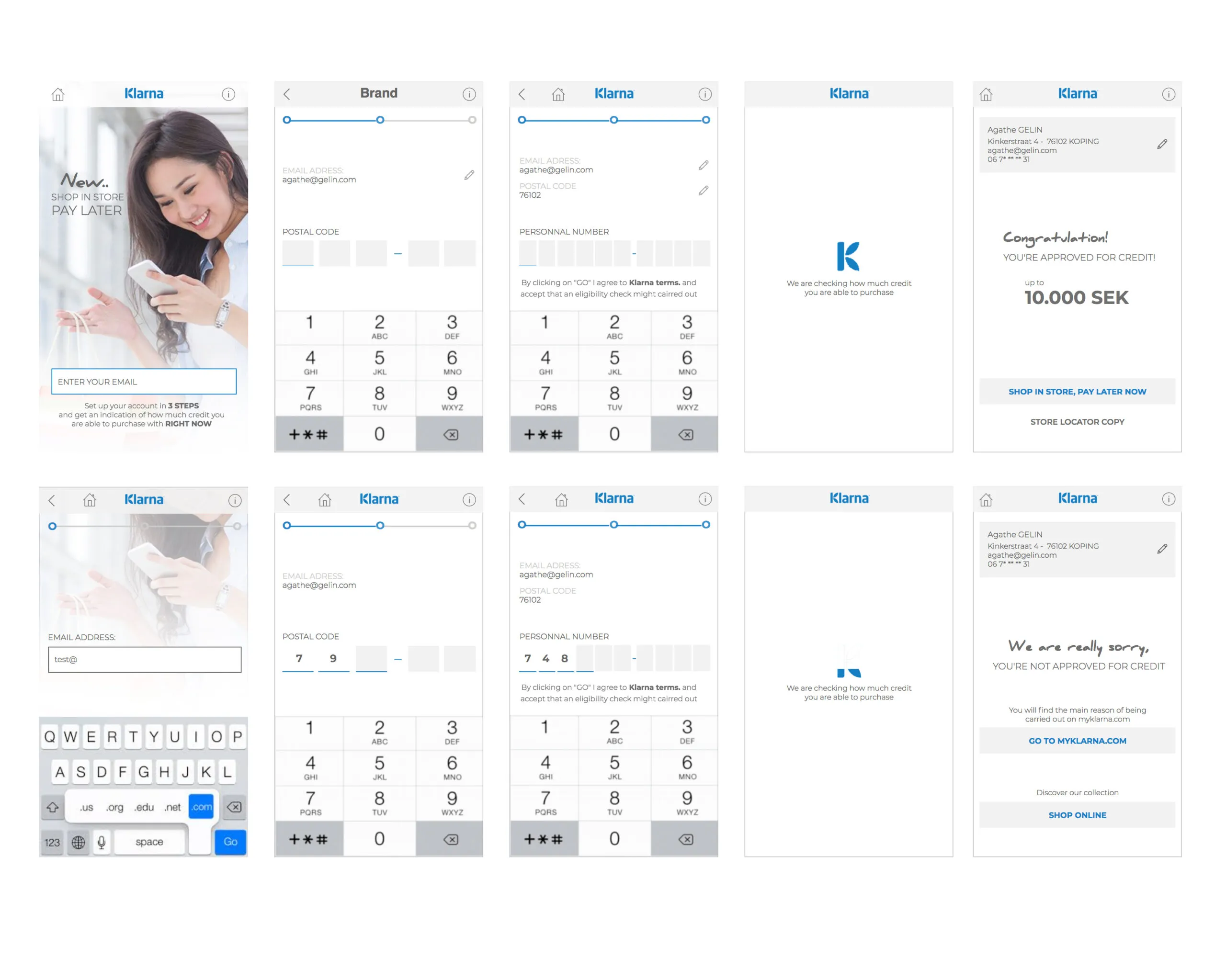
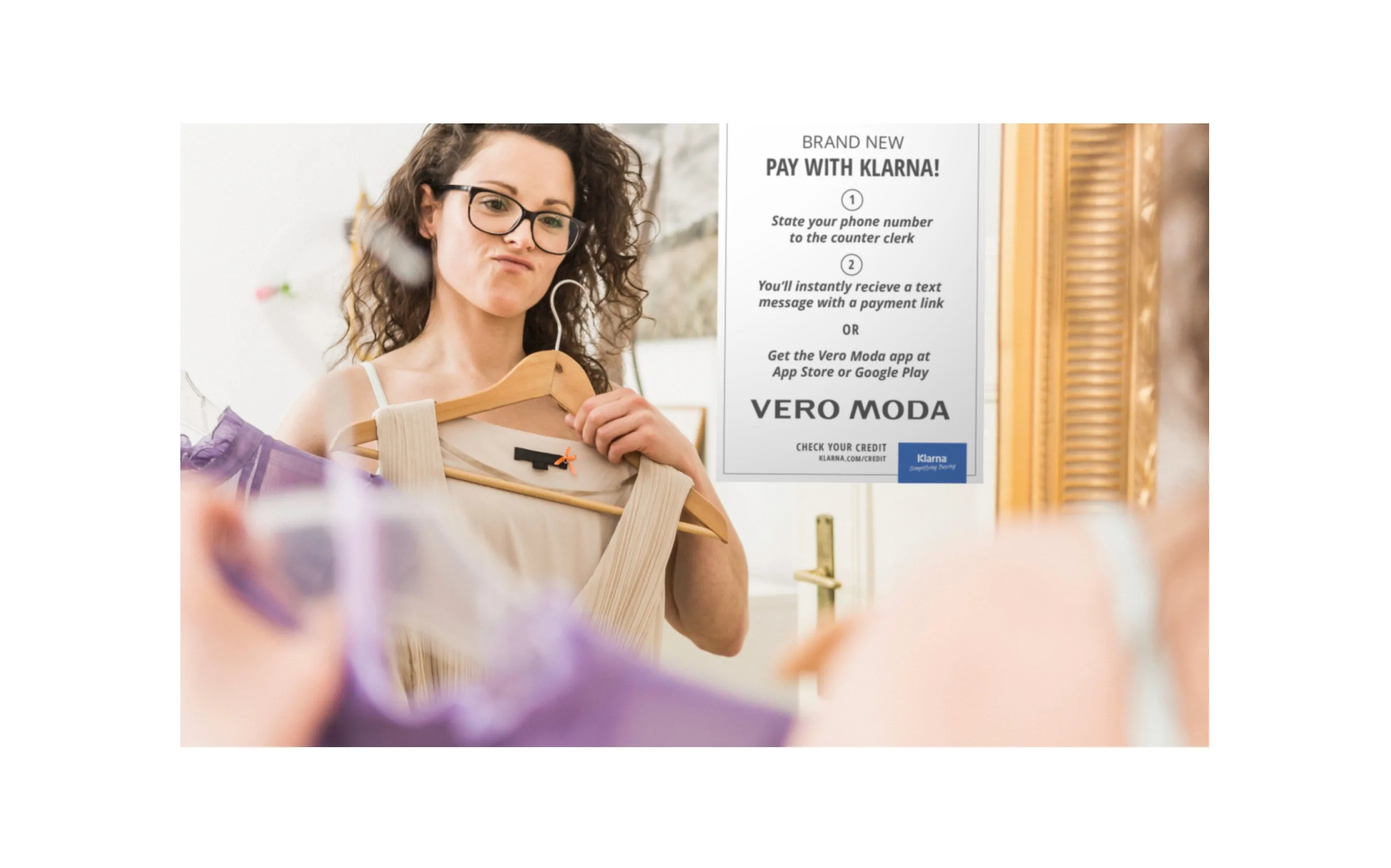
During our assignment at Bestseller, we were tasked with reviewing and optimizing the buying flow within the Klarna mobile app. The goal was to enhance the in-store shopping experience by enabling customers to purchase clothes and defer payments, leveraging Klarna’s “Buy Now, Pay Later” feature.
Key improvements
- Simplified Navigation: We restructured the navigation to make it easier for users to access the “Pay Later” option directly from the product pages.
- Seamless Integration: The redesigned flow was integrated with Klarna’s existing systems, ensuring that in-store transactions could be smoothly managed within the app.
- Enhanced Usability: We introduced clear prompts and guidance within the app, reducing friction points and ensuring users understood how to complete their purchases and defer payments.