How I work
I am Auditi’s design team. I partner with the CTO and both CEOs on what to build, then take every feature from research and flows to the final UI. I also rebuilt the design system: interactive components with every state, each one matched to its coded twin, built together with the frontend developers.
Partners with

Works with & delivers to
I work inside the development team, not next to it:
- Daily stand-ups with the developers.
- Specs written in GitHub.
- My own pull requests for UI fixes.
- QA side by side with the developers until the feature ships.
- Interviews with customers to understand their workflows and test new concepts.
Below are the two main workflows I reworked.
Case study 1
PBC requests
How might we help audit firms collect hundreds of documents from their clients without losing the context around each one?
PBC (“Provided by Client”) is the heart of Auditi: the list of documents an audit firm requests from its client, and everything that happens around each request.
The problem is rarely the file itself. It’s everything around it:
I redesigned the whole flow, from the moment an auditor opens Auditi to the moment a document is accepted.
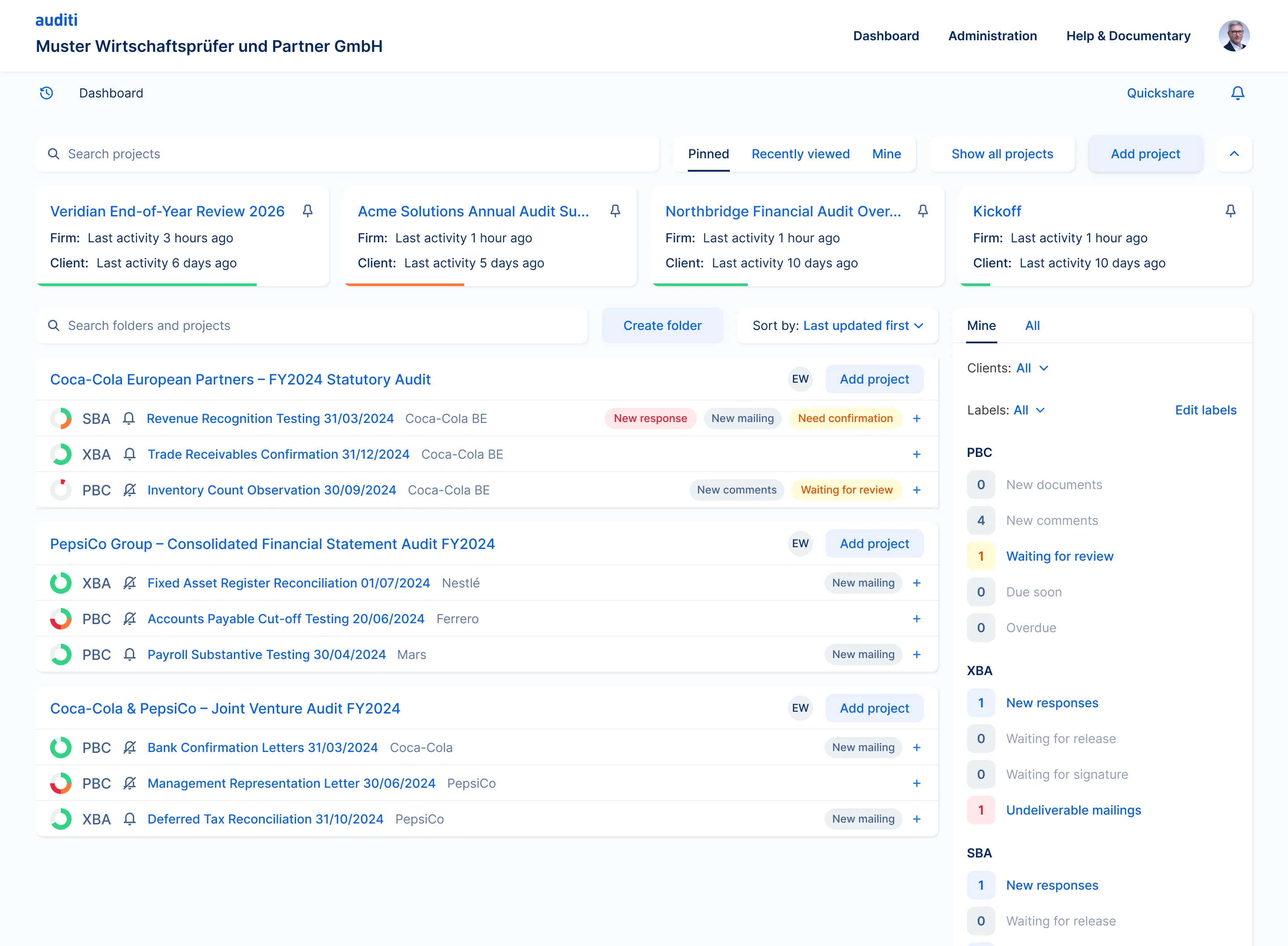
1. Dashboard: see what needs attention
Auditors juggle many engagements at once. The dashboard opens on their pinned and recent projects, with the last activity on both sides (firm and client). Projects are grouped by client, each request list shows what changed (new responses, new mailings, items waiting for review), and a side panel counts what needs action across every tool.
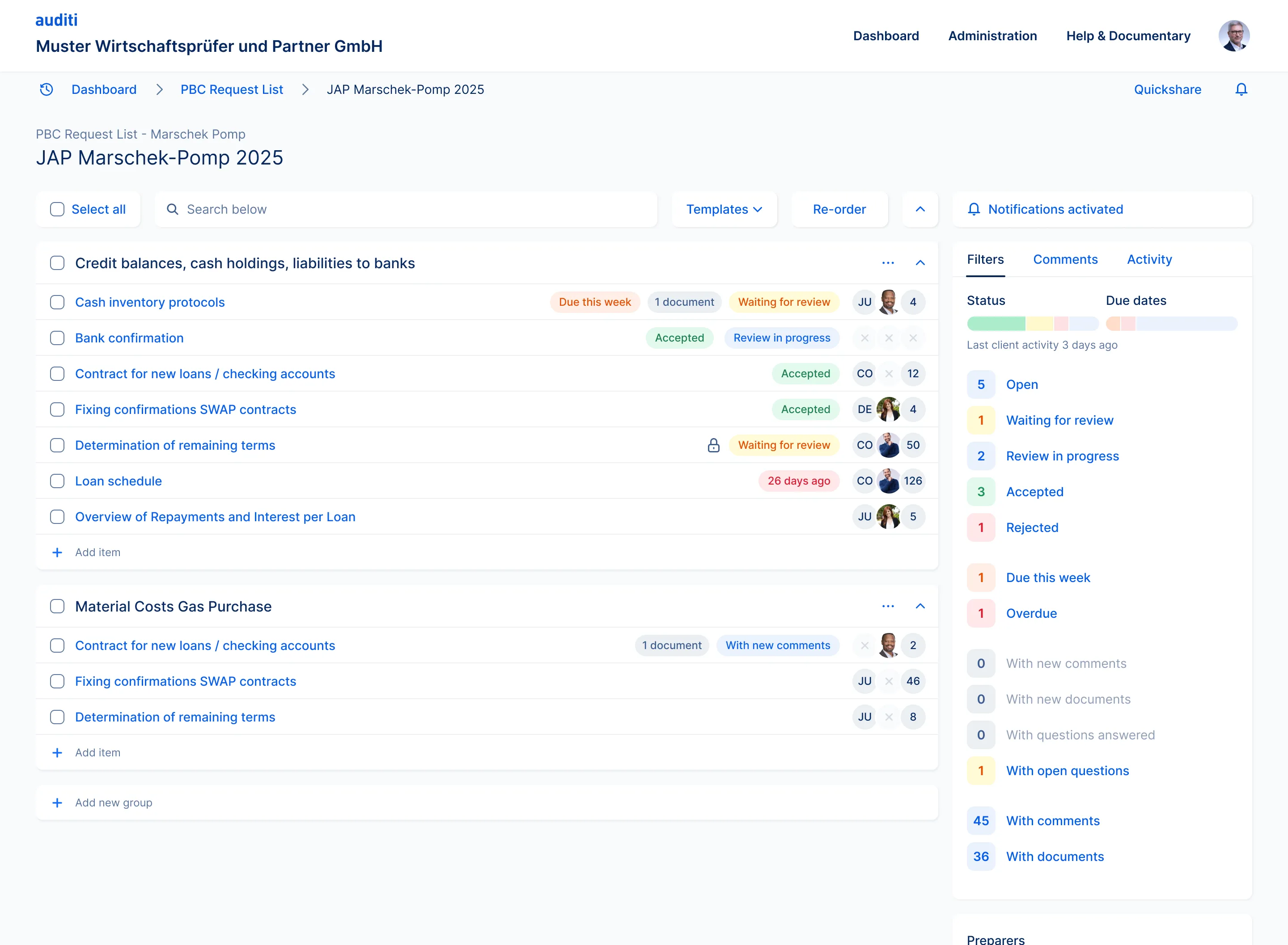
2. Request list: every request, its status and its owner
Requests are grouped by topic. Each row shows its status, due date, number of documents, the client contact and the auditor in charge, and the number of comments. The filter panel turns the list into a live status report: open, waiting for review, accepted, rejected, due this week, overdue, with new comments or new documents.
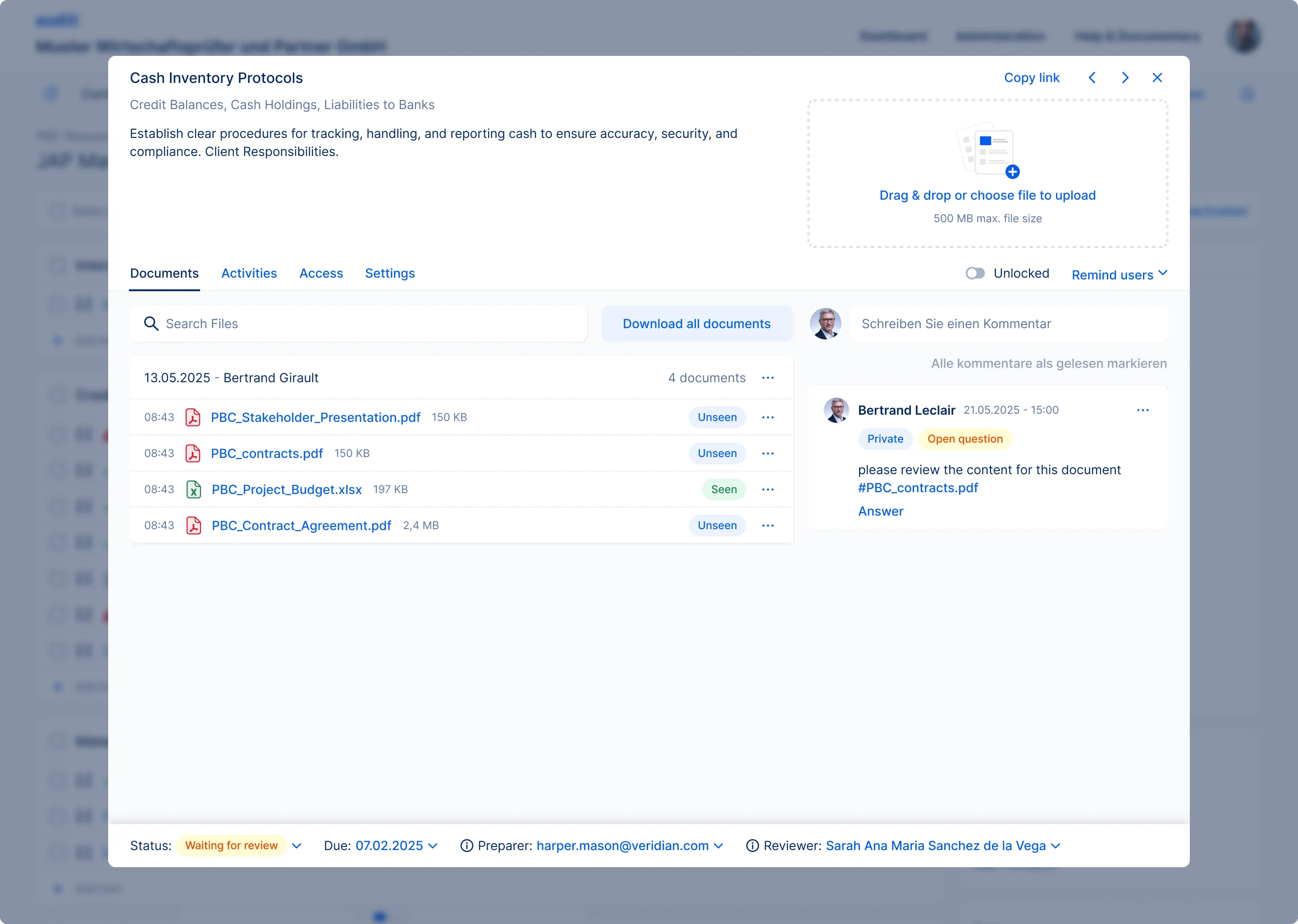
3. Request: the document and the conversation in one place
Opening a request brings everything together. Clients drag and drop their files straight into the right request. Auditors see which documents are new, preview them, and discuss them right next to the files, with private notes, open questions, @mentions and #references to specific documents. Status, due date, preparer and reviewer stay at hand at the bottom, and arrows move to the next request without going back to the list.
Case study 2
Projects
How might we give audit firms and their clients one shared place to see what needs to happen next?
Projects is a new product that grows Auditi from document requests into audit project management. I designed it from the first concept to the final UI, working directly with the CTO and both CEOs.
Before Projects, the client side of an audit was the part nobody could see clearly. Status was rebuilt before every call, clients had to guess what mattered first, and blockers moved from email to file comments and back.
The project overview
One page brings together everything both sides need: messages, to-do lists, project status, user access, links to the related audit work, analytics, the scope of the project, and a timeline of every action by the firm and the client.
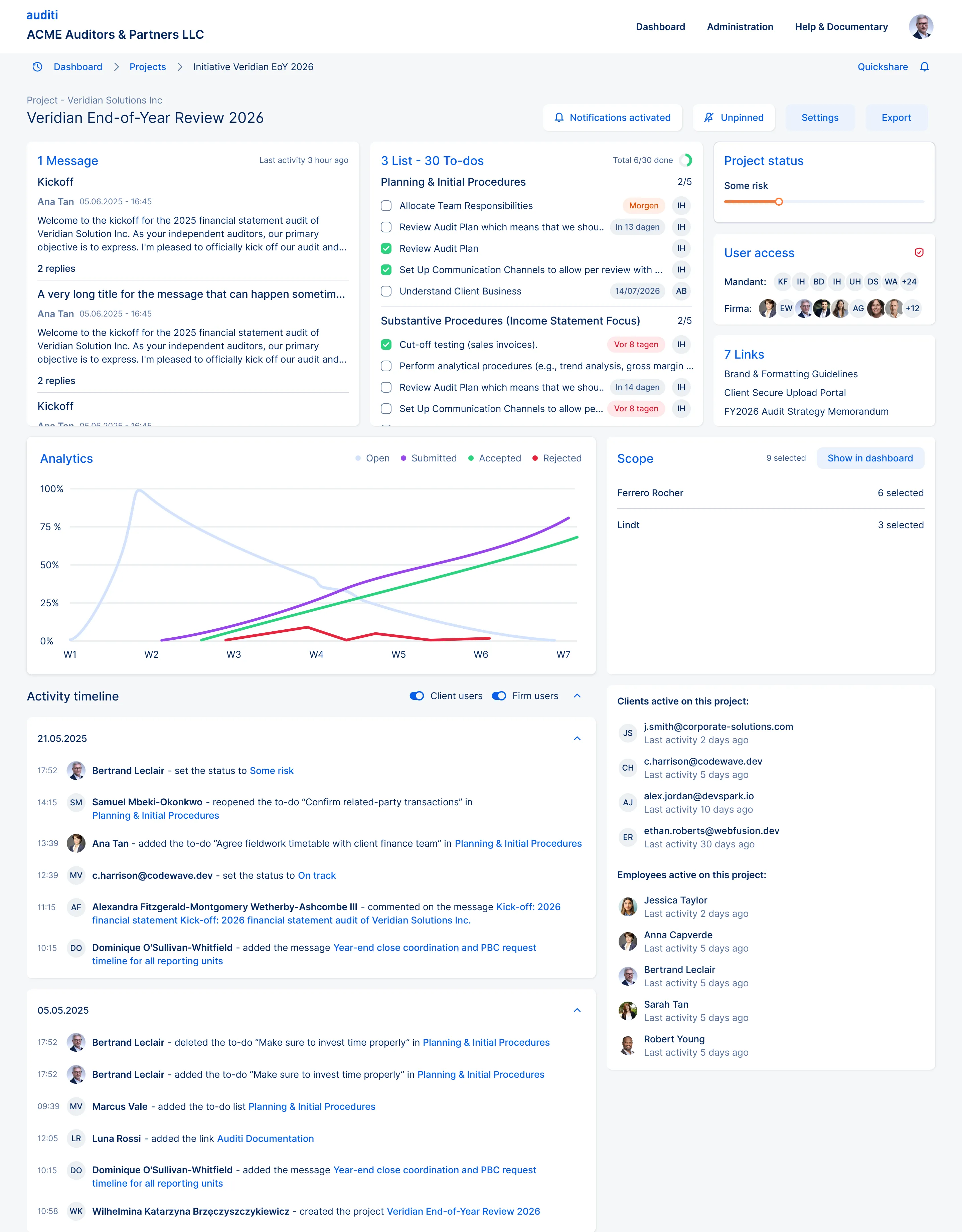
Each block opens into its own view, so the overview stays light while the detail is one click away.
Messages
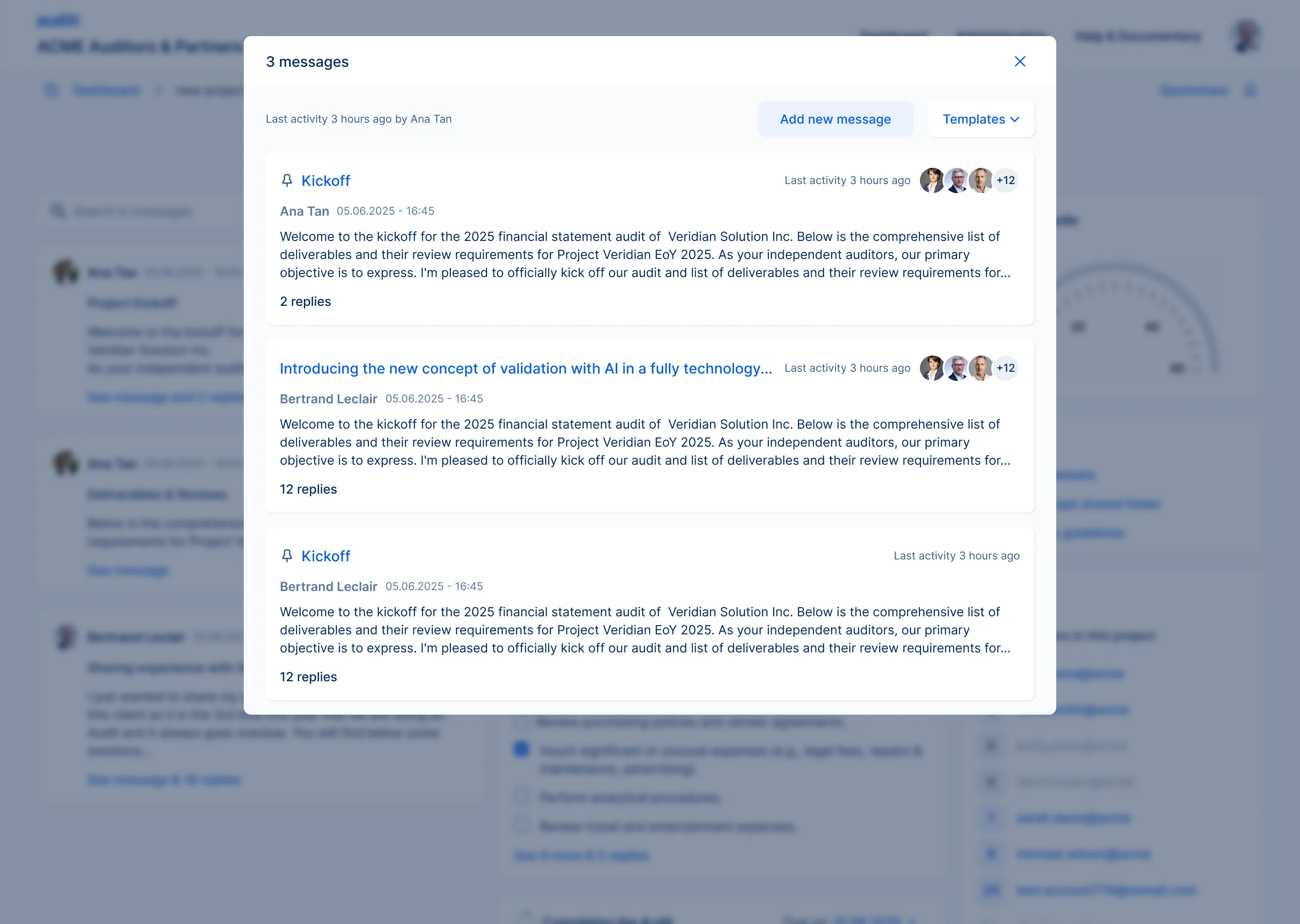
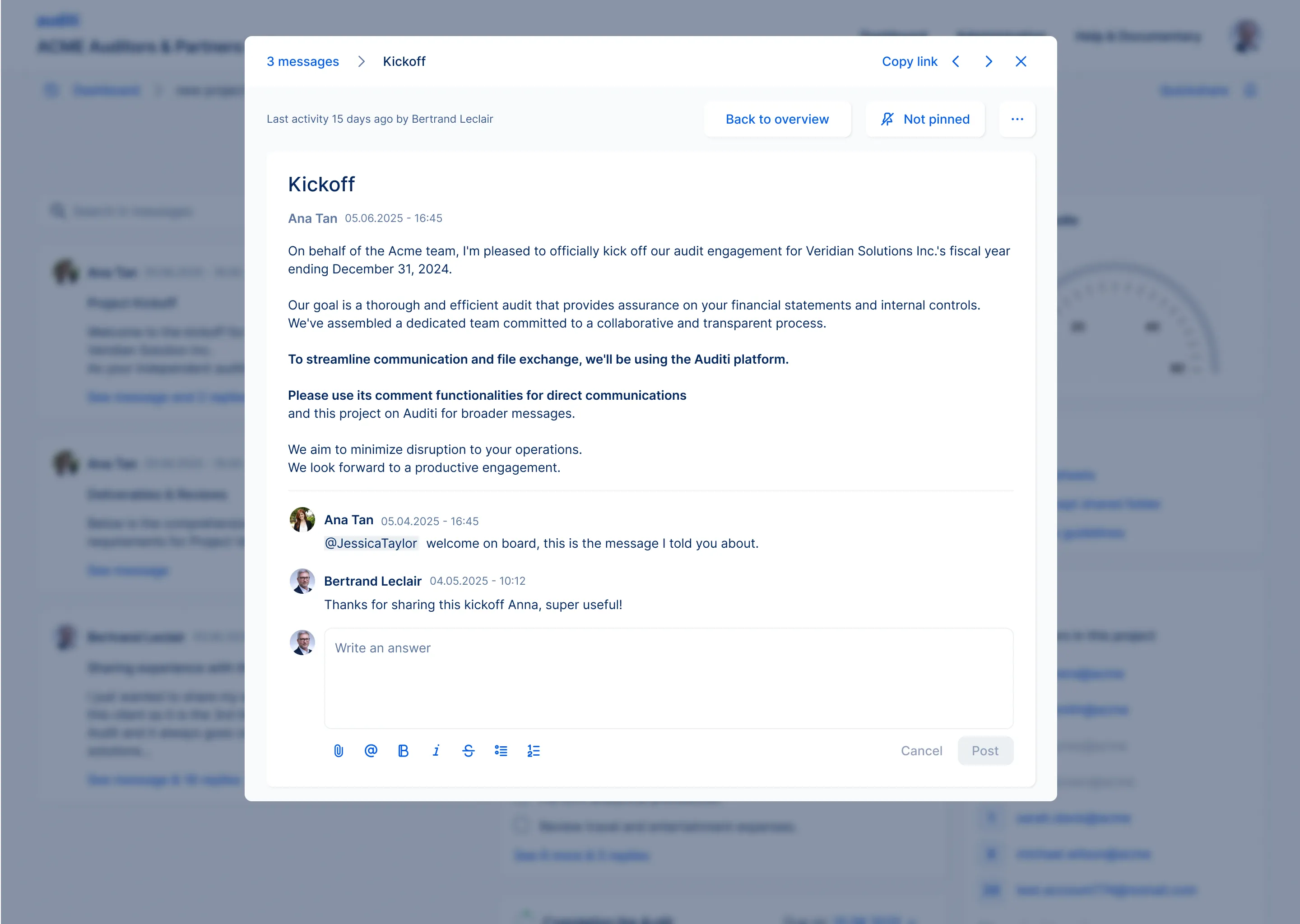
Project-wide announcements and questions live in the project, not in email. The list shows the latest activity and who is involved. Each message opens as a thread with replies, mentions and formatting, and can be pinned or shared with a link.
To-dos
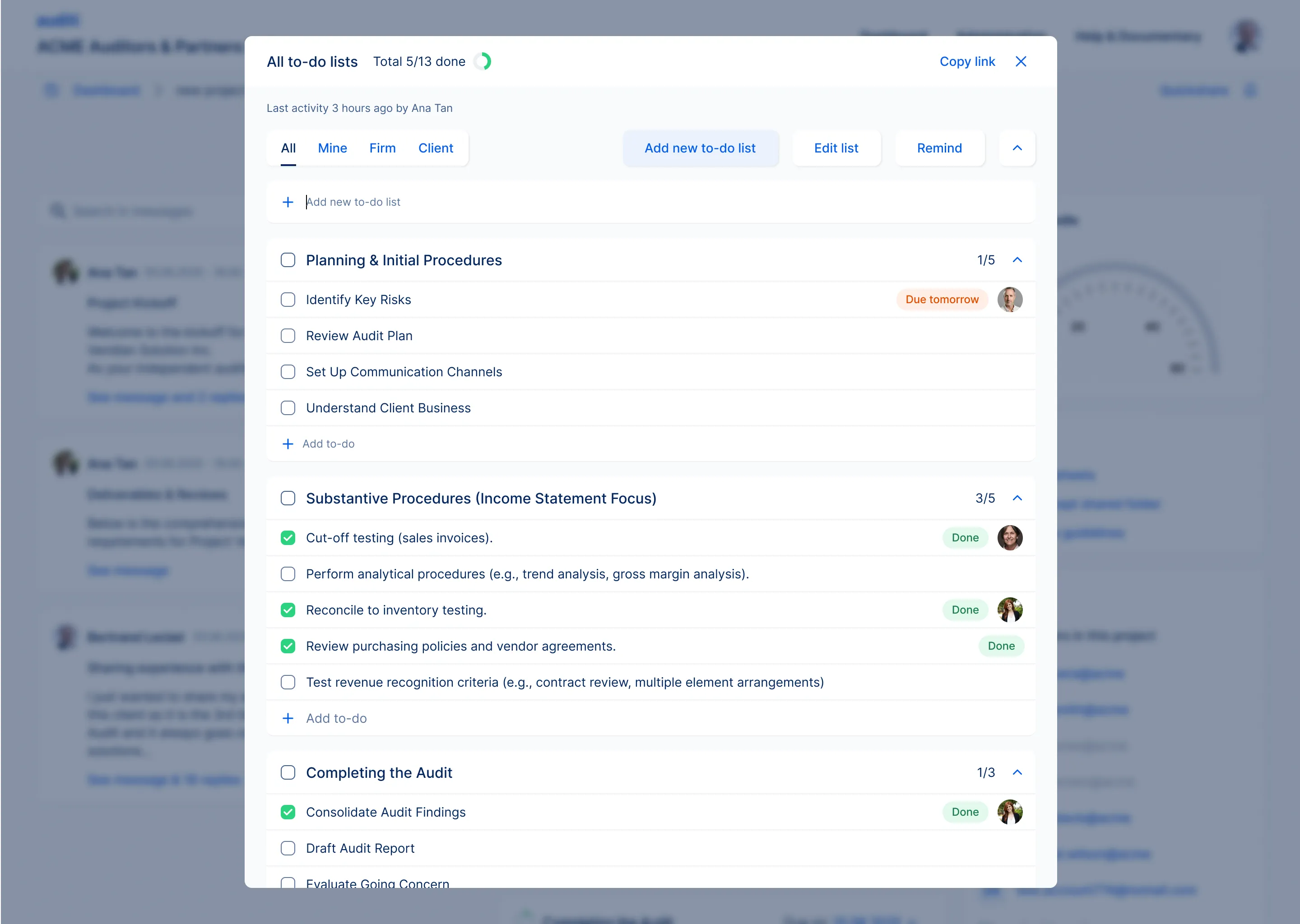
Client-facing work becomes lists of to-dos with owners, due dates and progress. Filters show everything, only mine, only the firm’s or only the client’s, and a reminder can be sent in one click.
Scope: where the edge cases live
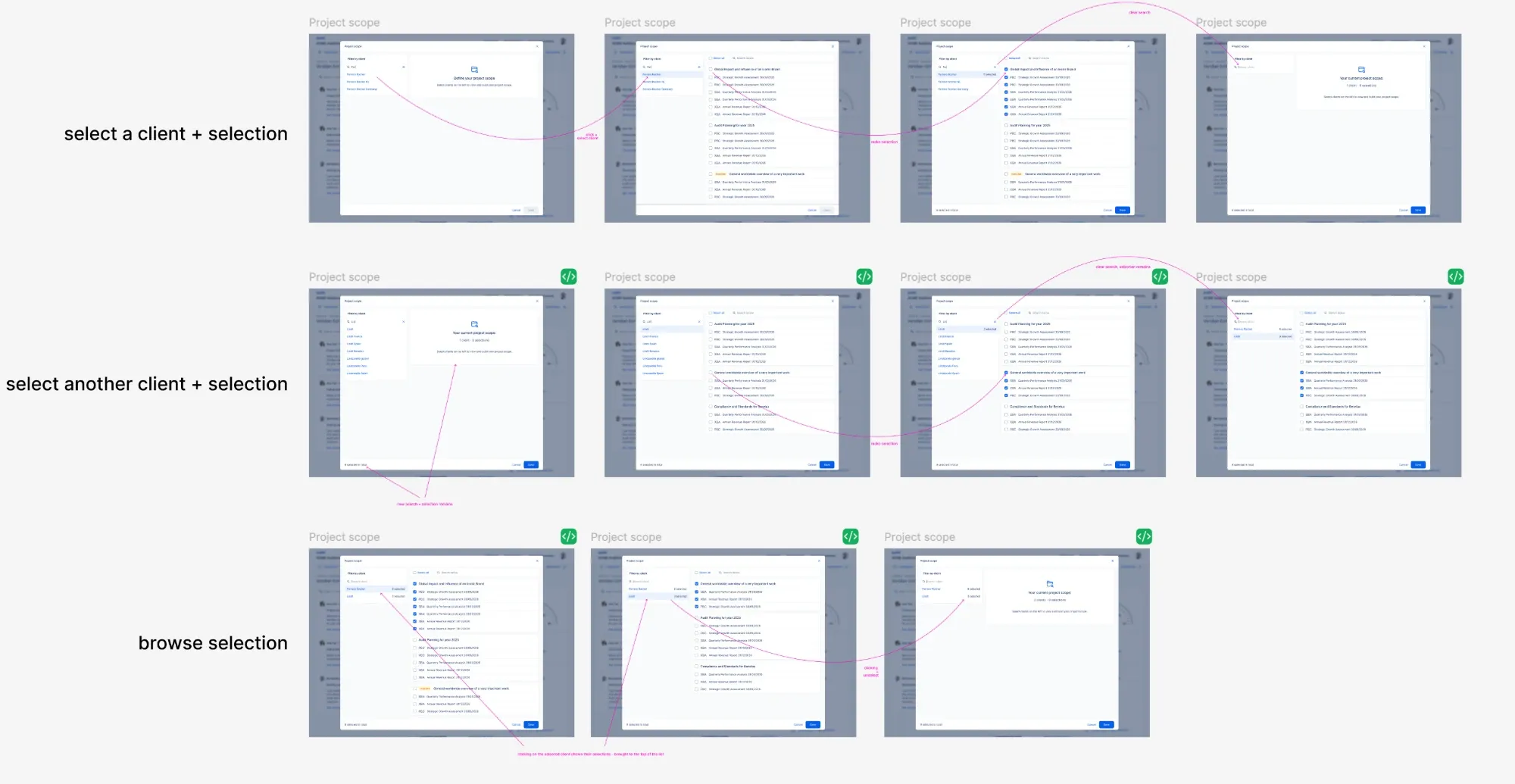
The scope links a project to the client entities and request lists it covers. It looks simple, but it is full of states: searching for a client, selecting lists, switching to another client while keeping the first selection, clearing a search without losing what was chosen, and browsing everything selected so far. I mapped every one of them, so the developers could build each state exactly as intended.
Analytics
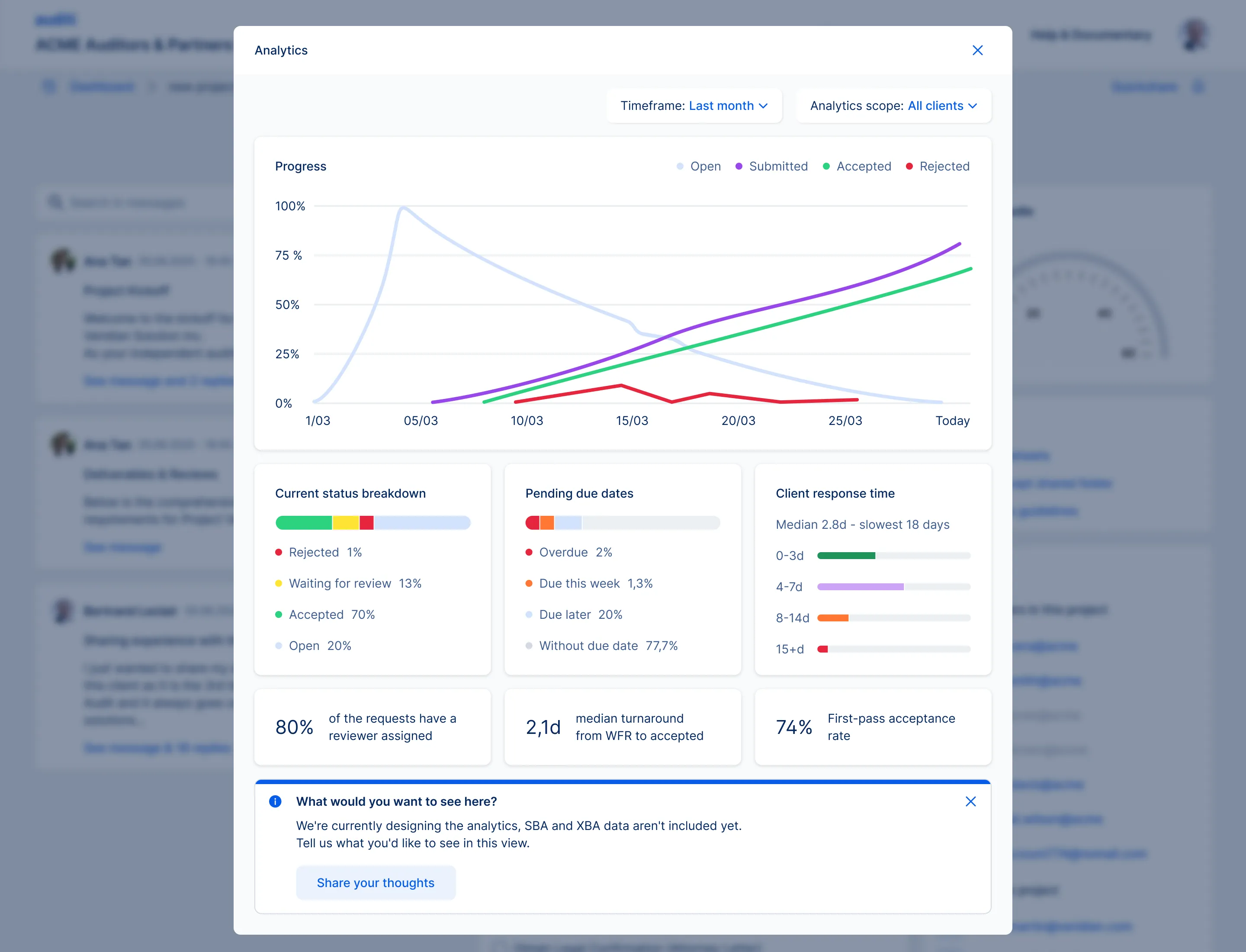
Analytics answer the question every audit lead asks before a client call: how far along are we? Progress over time, a status breakdown, pending due dates, how fast the client responds, and the share of documents accepted on the first try. A built-in prompt asks users what they would like to see next, so the view keeps evolving with them.
The result
Auditi now ships many more features than before, and yet customer support hears it from users: the platform feels more intuitive.
She treated implementation quality as part of the design work rather than the point where her responsibility ended.
Bastian Halbach, CEO, Auditi