How I worked
Patent examiners are experts who spend their whole day in this tool, so nothing could be designed without them. I introduced a systematic way of working, based on iterative reviews with large groups of examiners: interviews, contextual research, and prototype reviews at every step. I wrote the specifications and user stories (in Gherkin) for the developers, and worked with R&D on the AI tools built into the software.
The challenge
Examiners relied on two separate, ageing tools to do their job:
- Ansera, a powerful but complex tool for precise patent searches.
- JViewer, a separate application for reading and annotating patent documents.
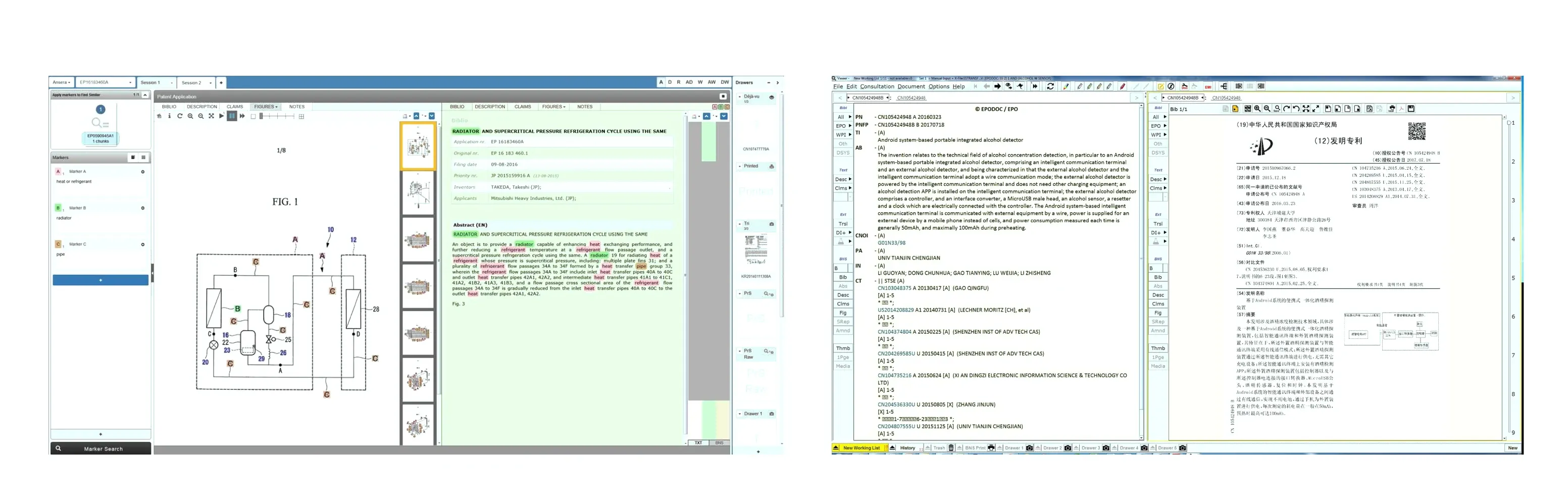
The goal: one product where examiners can do everything that matters, in one place. Analyse the patent application, search for prior art, view and annotate documents, organise what they find, and map the application’s features against it to report back to the applicant.
What I did
Mapped the whole journey
I started by mapping how examiners move through their work: presets they reuse, viewing the application, searching, viewing prior art, feature mapping, and the links to other applications. This map became the backbone of the navigation.
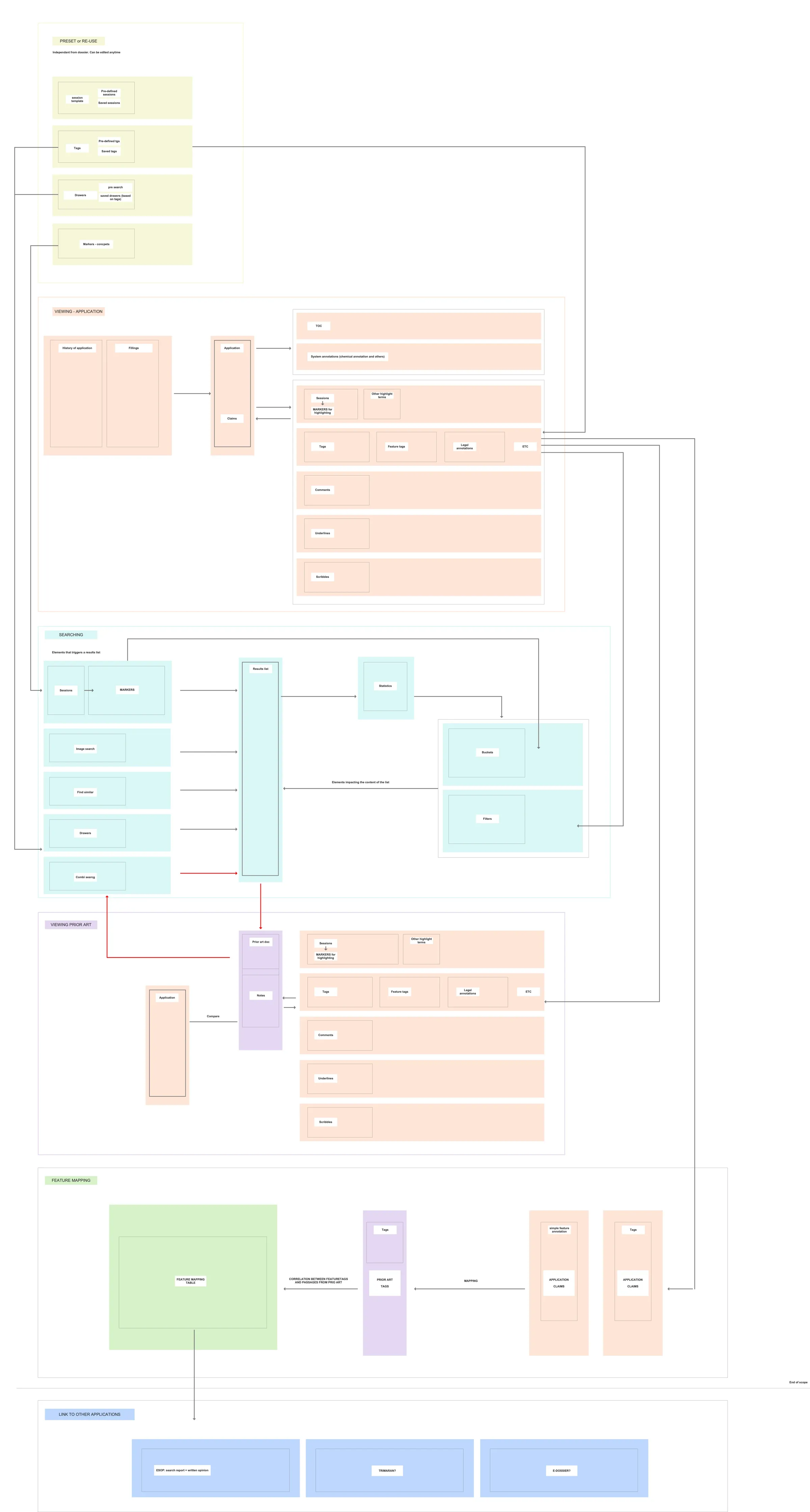
Designed for every screen an examiner works on
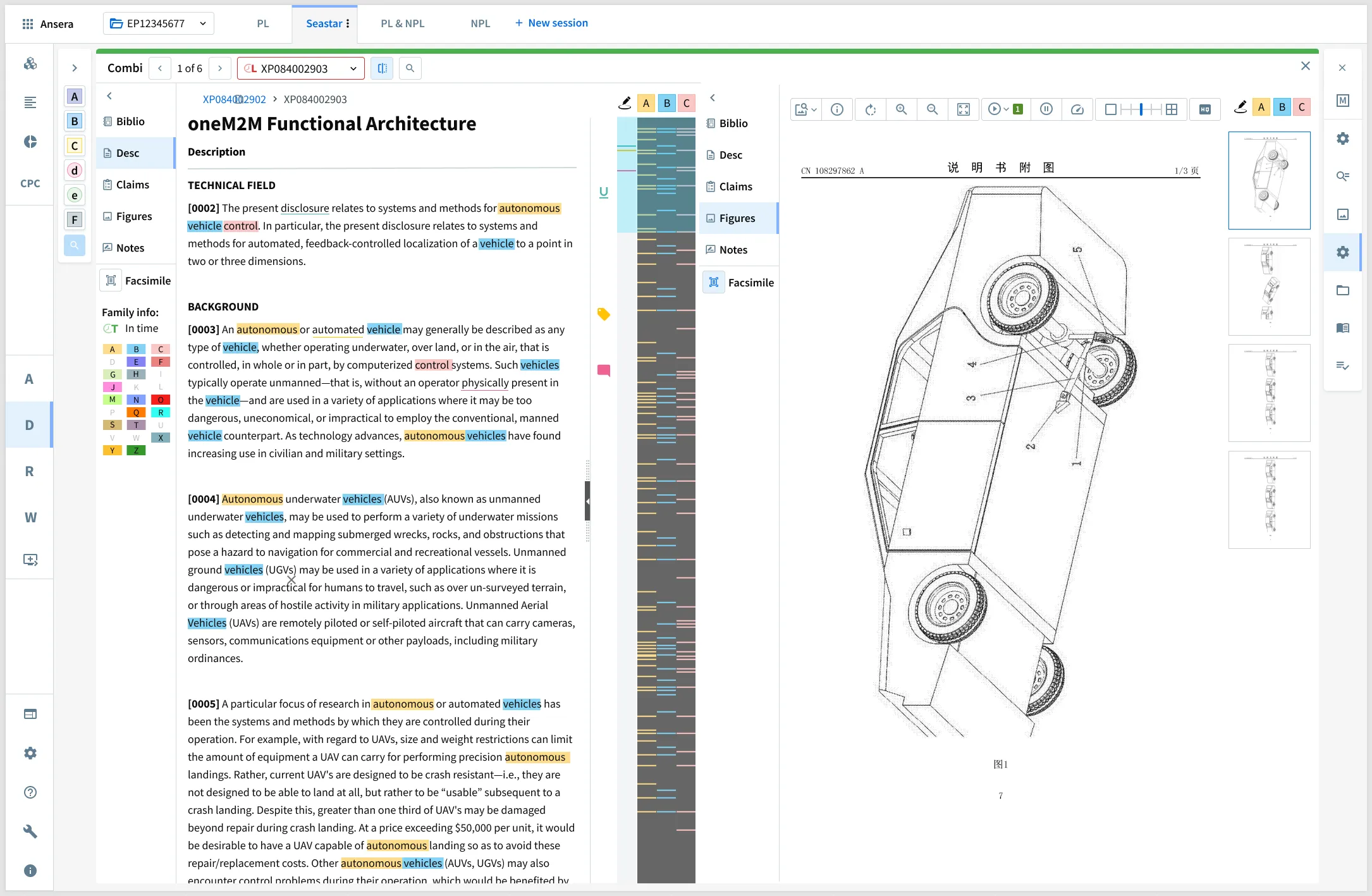
Examiners work on everything from an iPad to a 4K monitor, often with a second screen. Instead of one layout, I designed templates: for each screen size, which panels open by default, which one is mandatory, and how much room each one gets. On a 4K screen, the application text and its drawings sit side by side; on an iPad, the essentials stay one tap away.
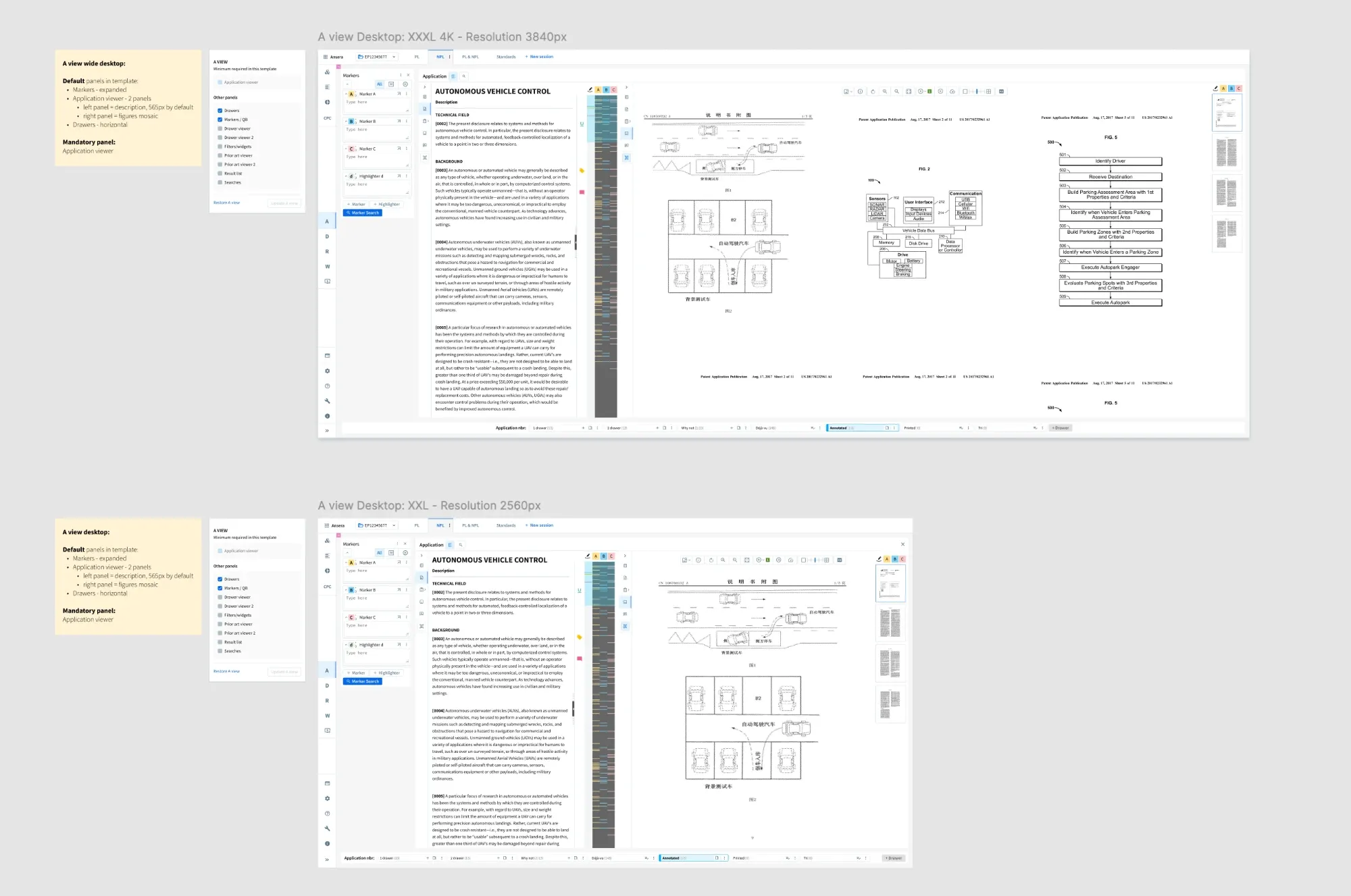
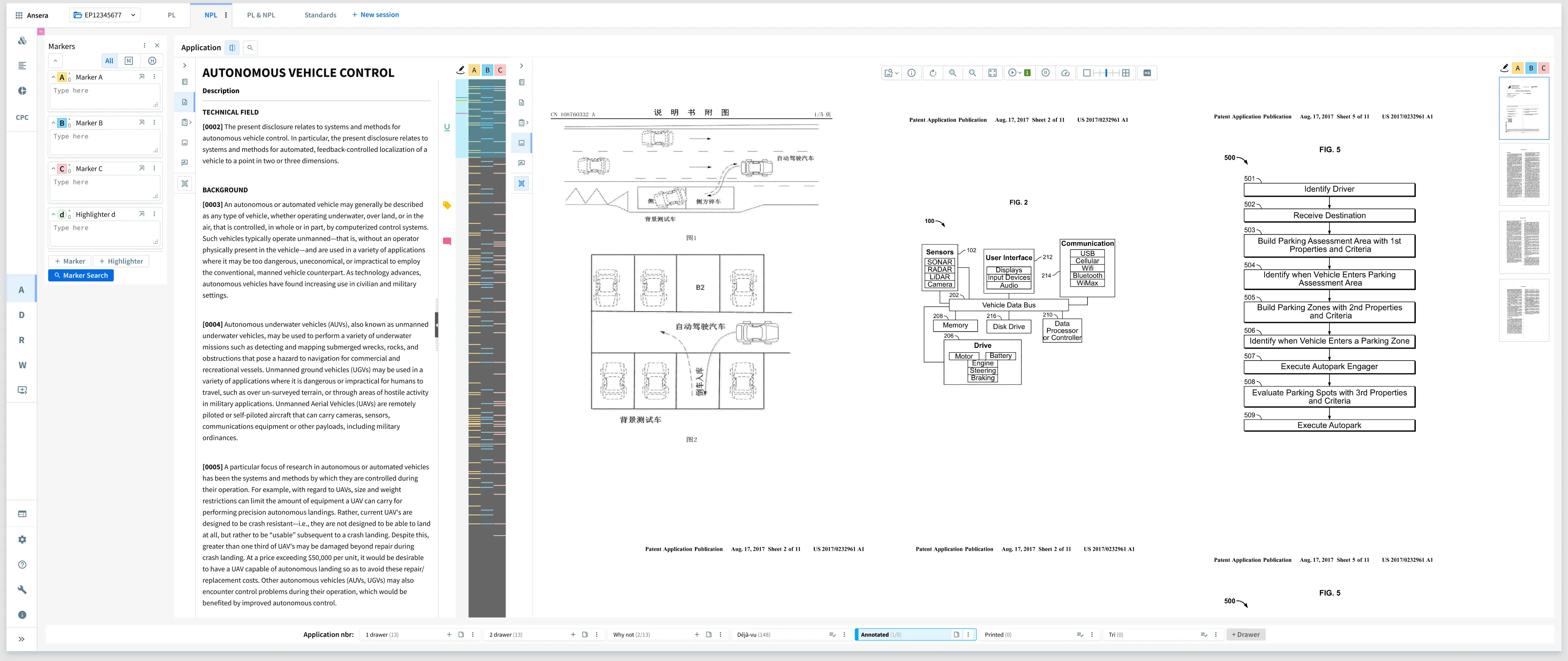
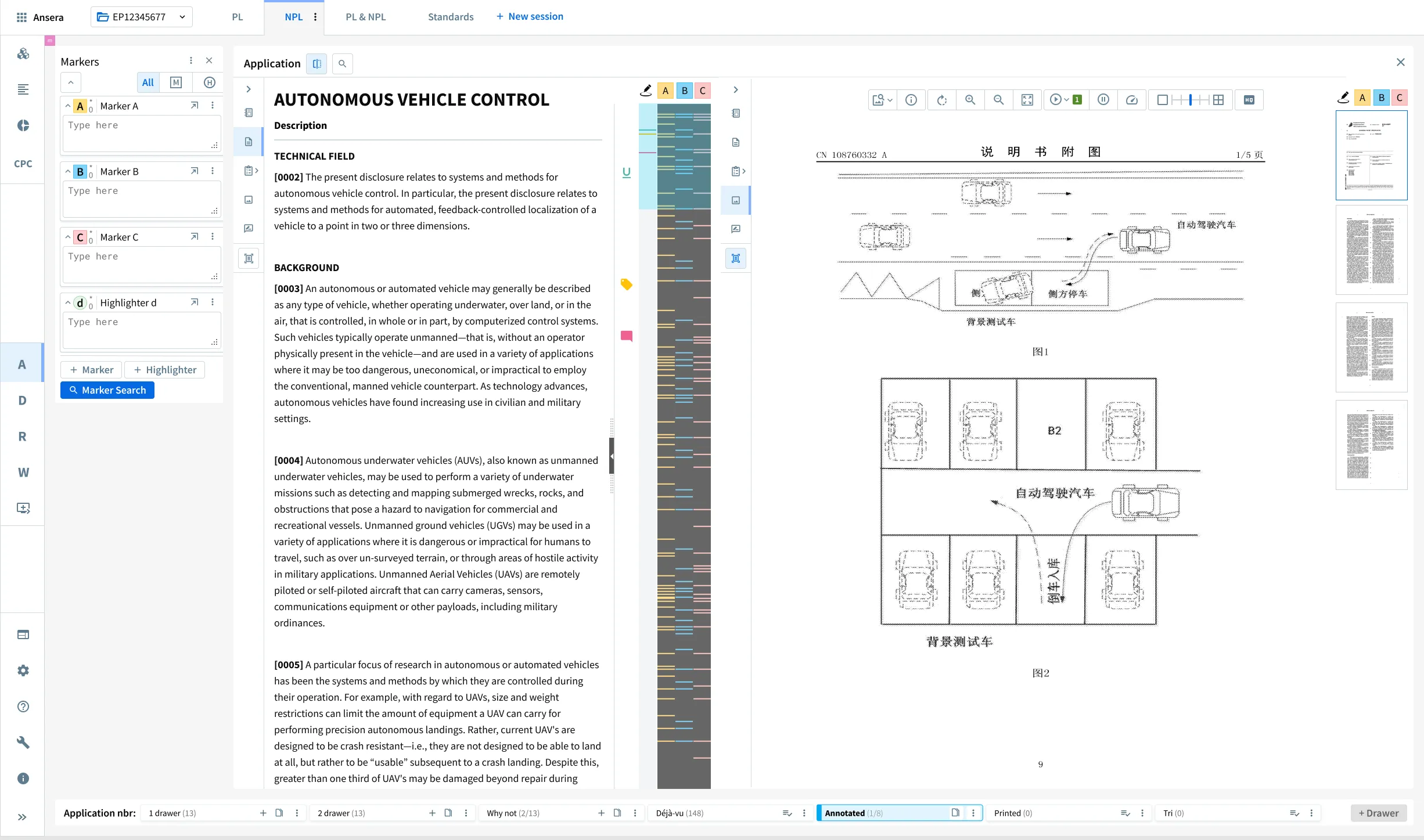
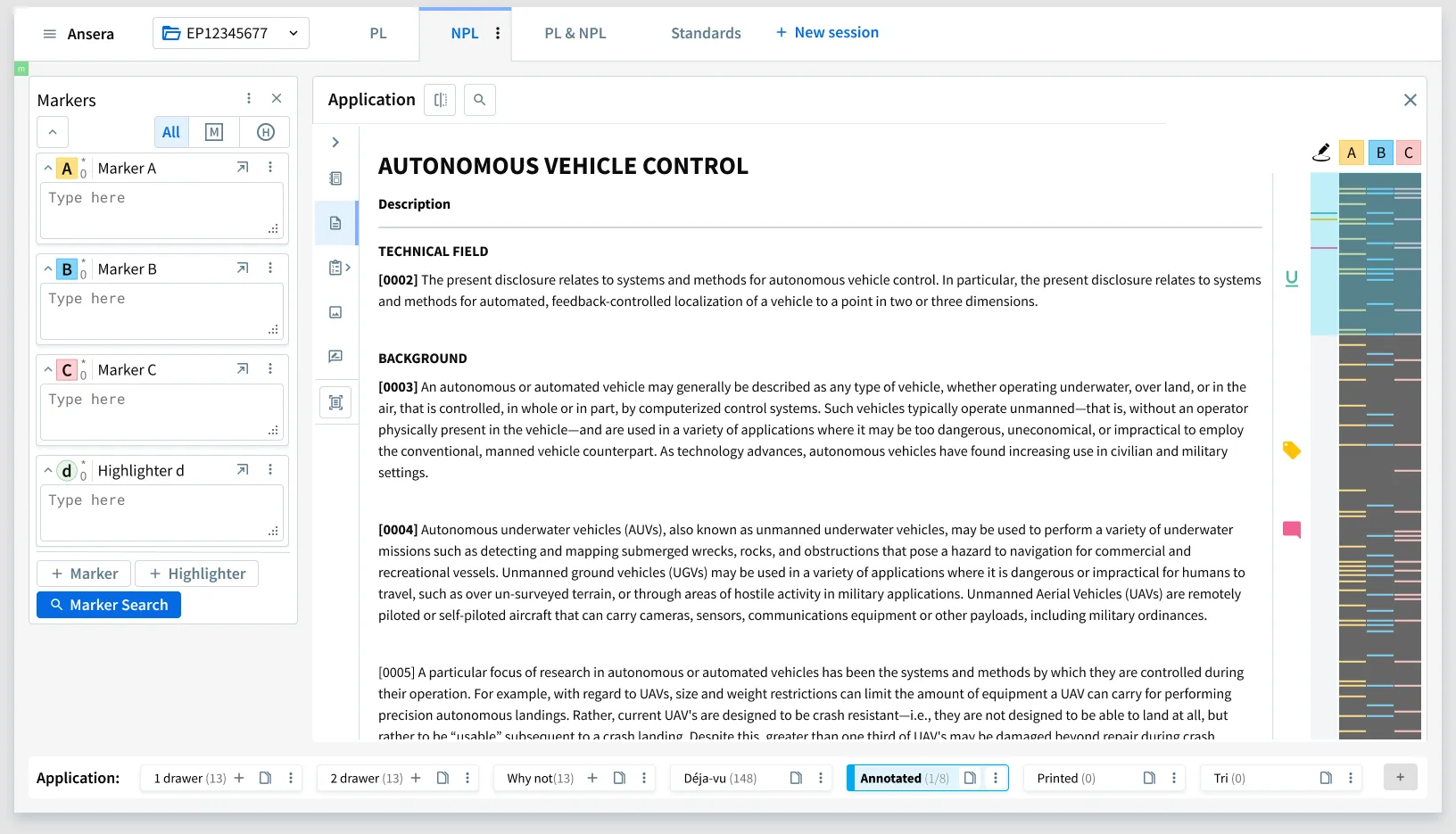
Go deeper: vertical desktop and iPad templates
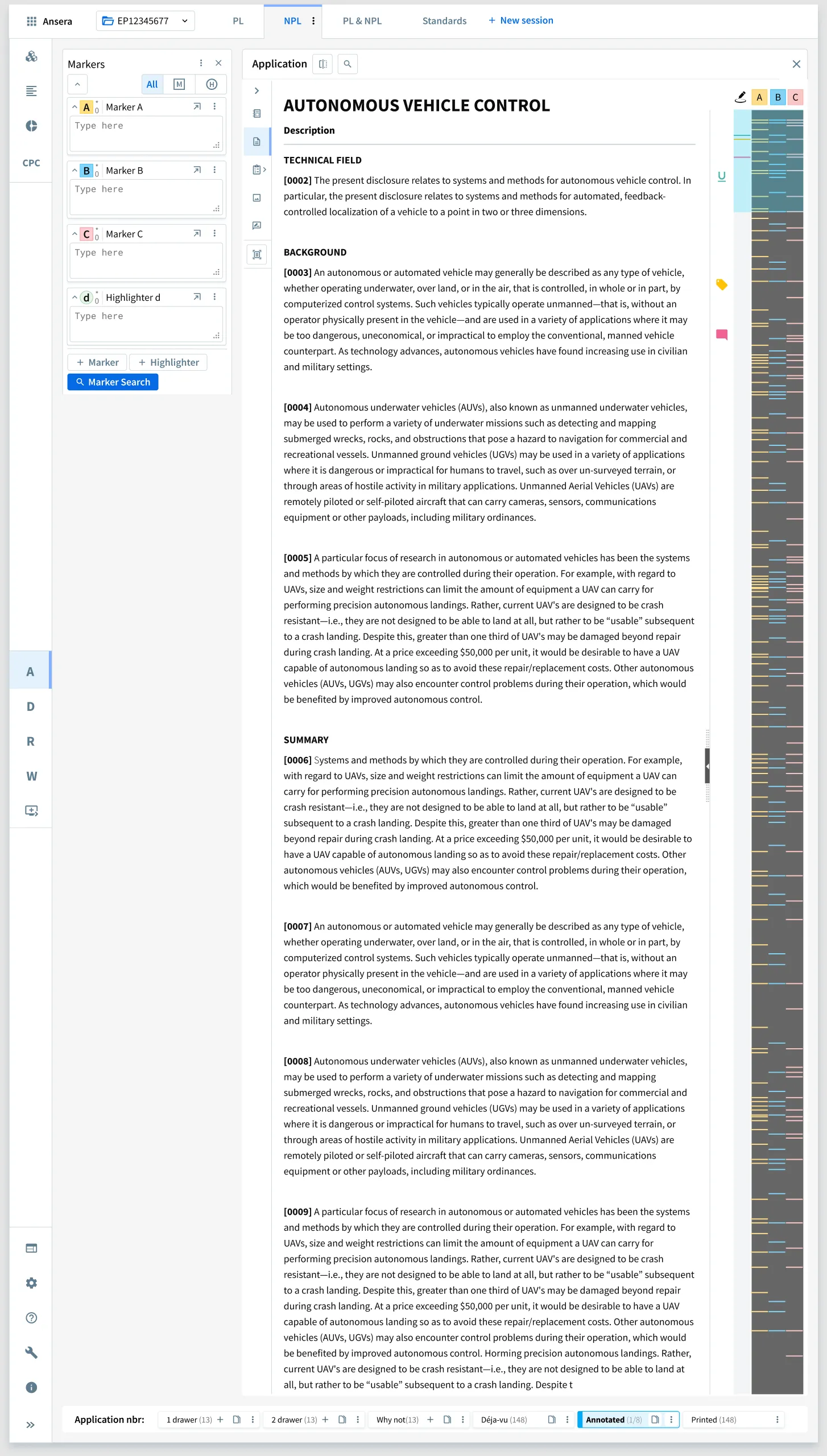
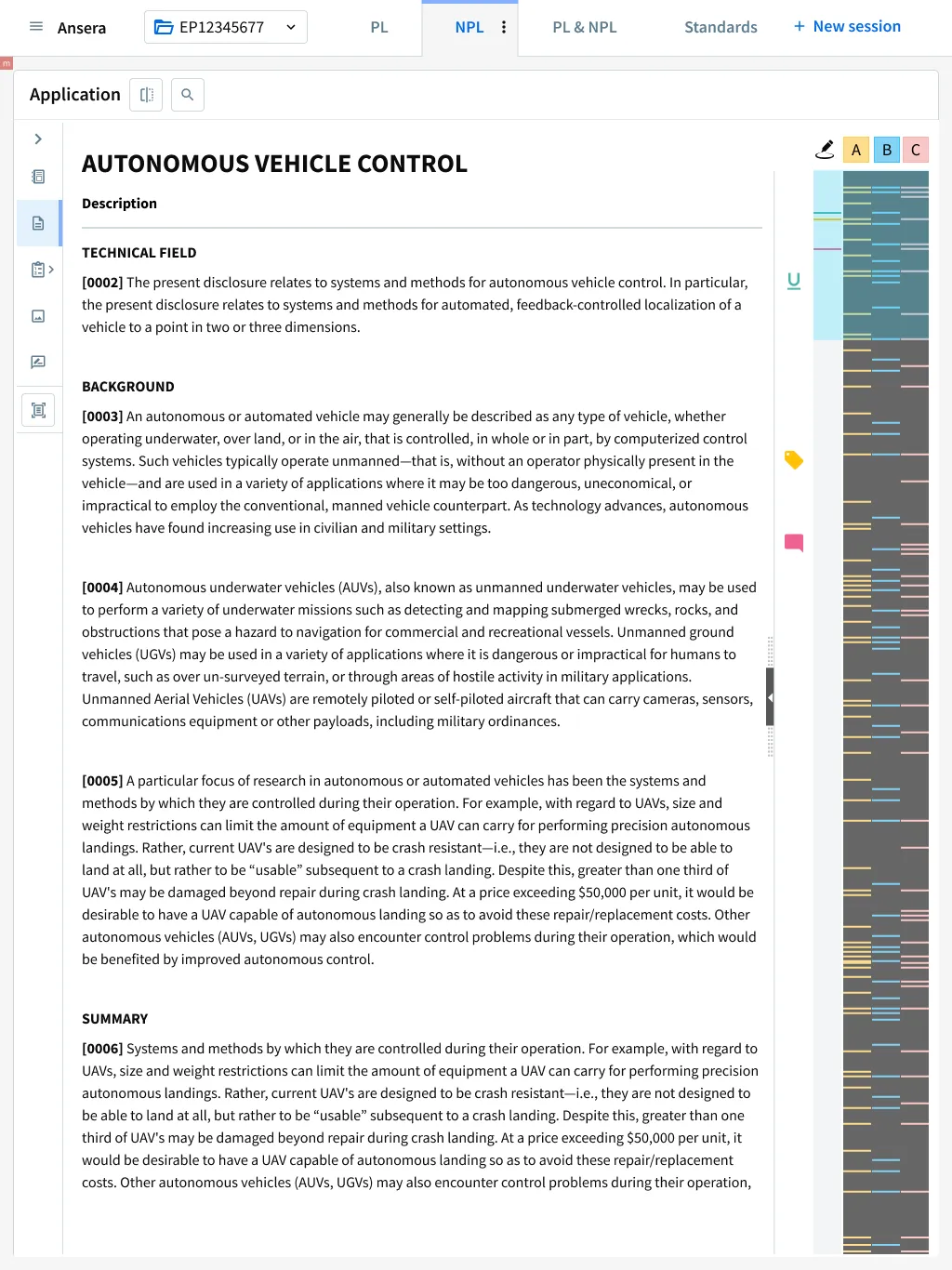
Highlighting markers
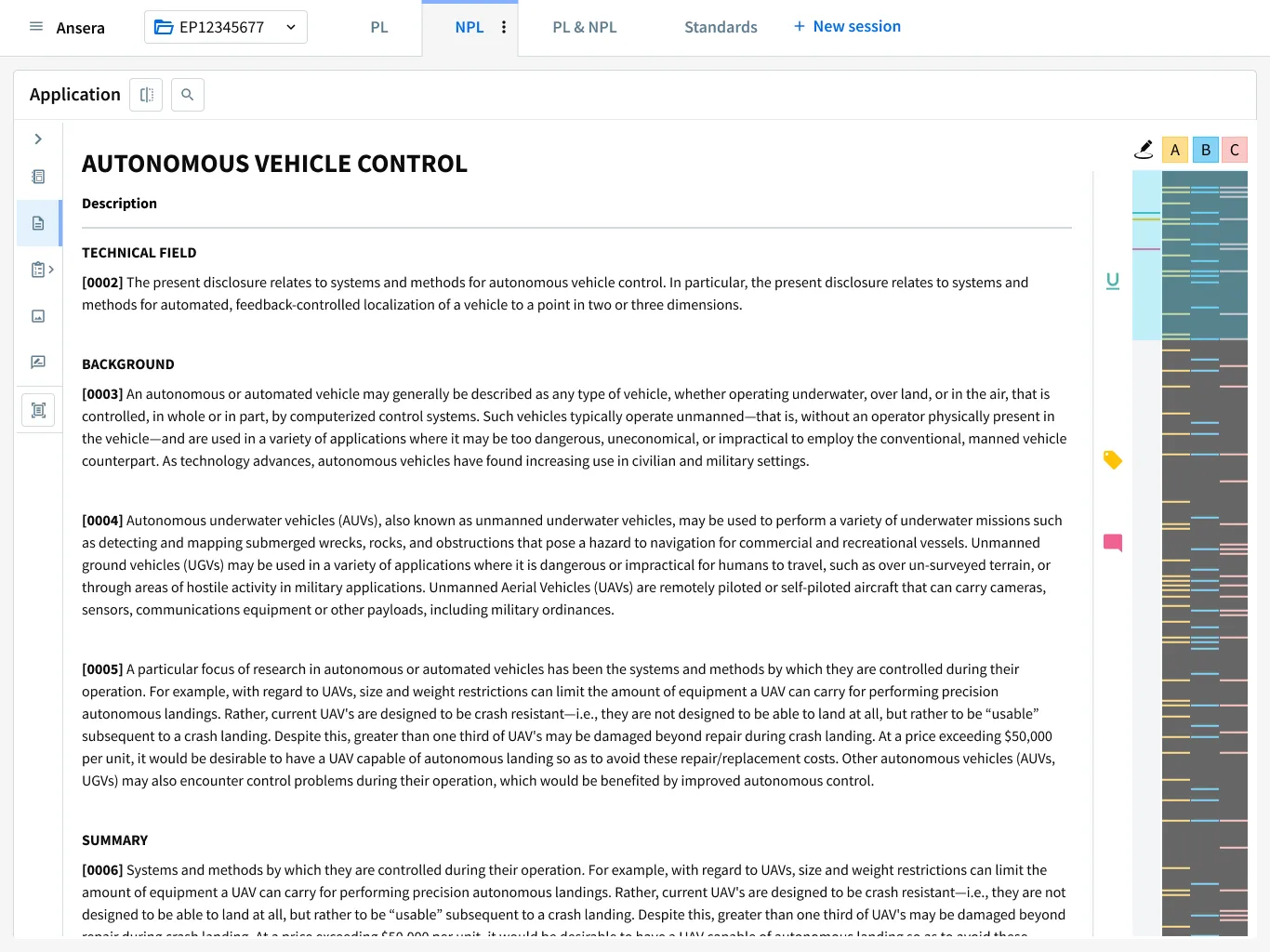
Examiners read long, dense documents looking for a handful of concepts. With markers (A, B, C…), they highlight their search terms in different colours across the description, the claims and the drawings, and a density bar next to the text shows where each term appears, so they can jump straight to the passages that matter. Years later, senior examiners still remember this design.
AI, before it was everywhere
With the R&D team, I designed AI tools inside the examiners’ software: query generation, classification and tagging. I also took part in EVA, a conceptual prototype that imagined how assisted search and examination could look at the EPO. The result, an animated film, was received extremely positively by the EPO president and senior management.
The result
In 2019 I reviewed the whole Ansera UI. That review became a guideline for the EPO’s Search programme in its 2023 strategic plan.
Her UX design for highlighting markers is well remembered, to this day, by the responsible DG1 senior users.
Stefan Klocke, Programme Manager, European Patent Office